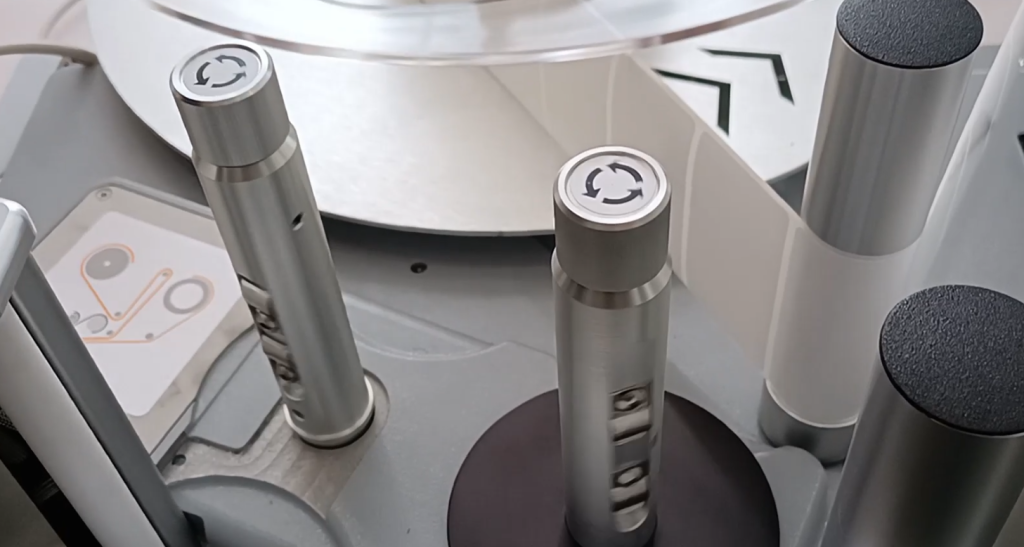
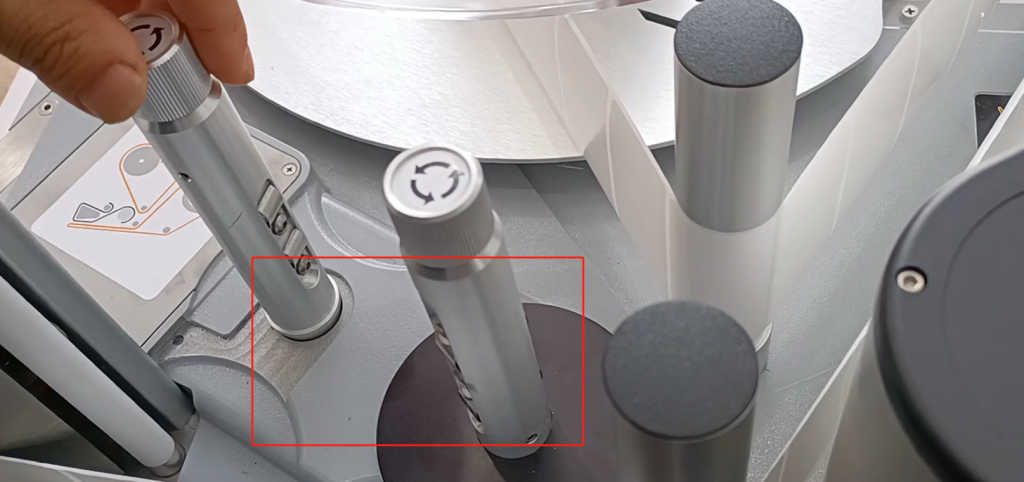
Let’s look at the 9550 machine and how its motor is calibrated. First we remove all the ribbons.
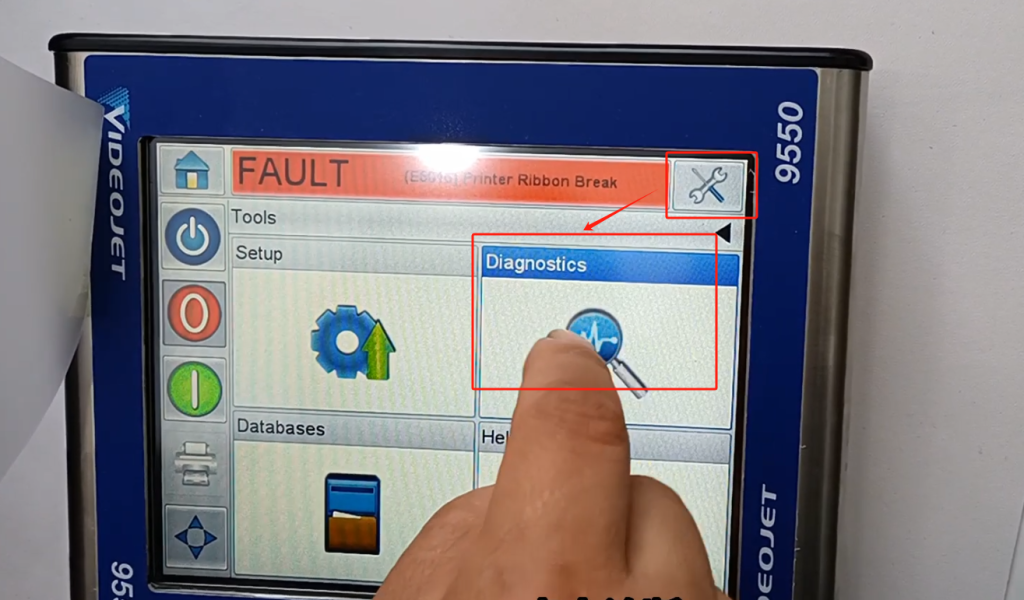
We look at the controller side. We point on the settings and then click on the diagnostic.
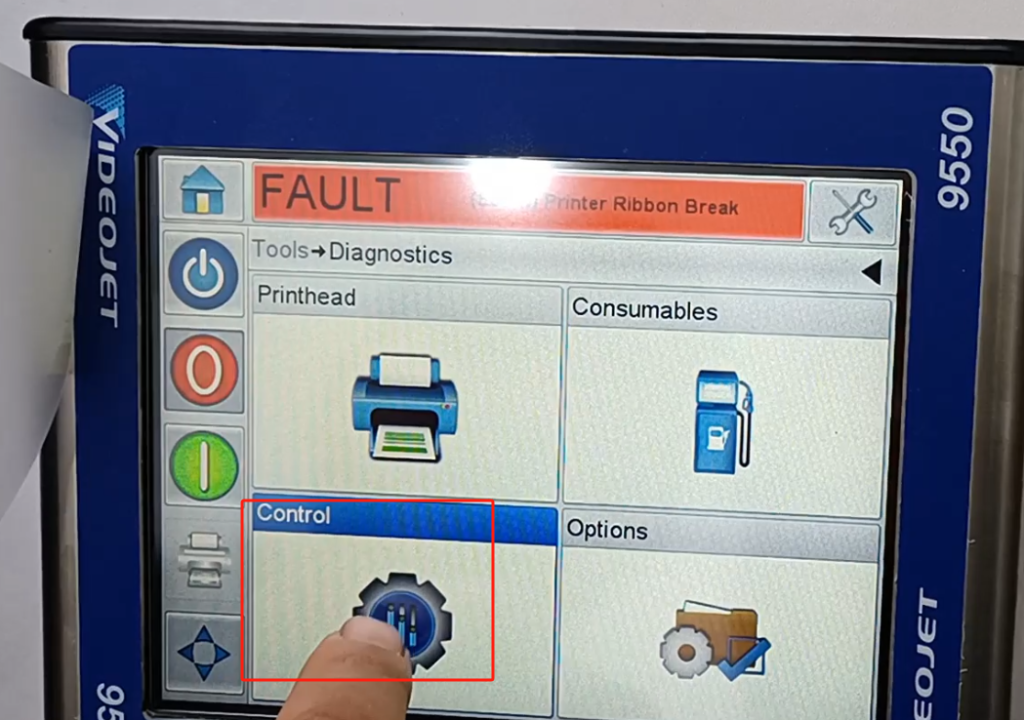
Then point control.
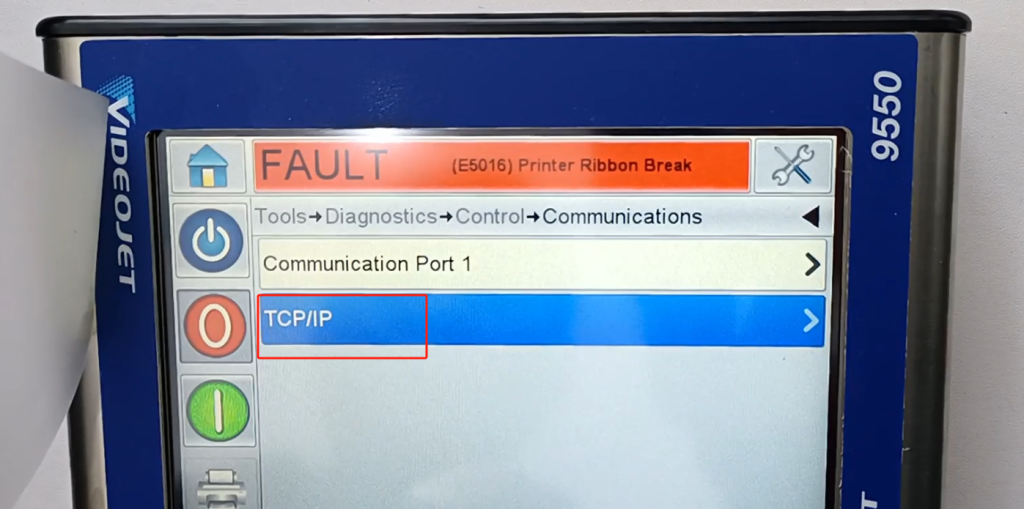
Then point the newsletter.
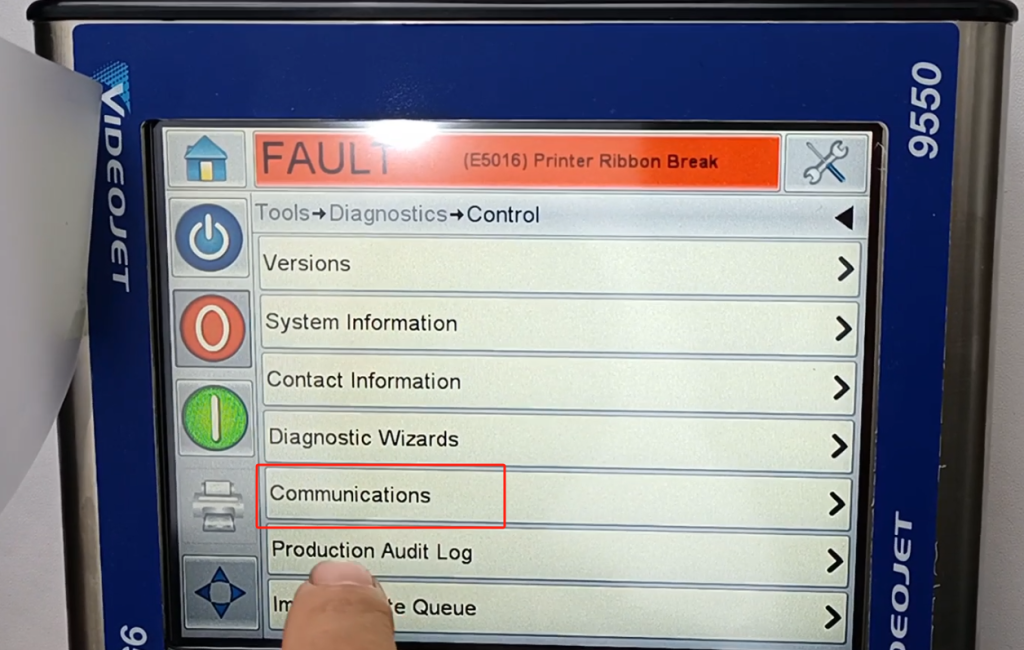
In this TCP / IP inside
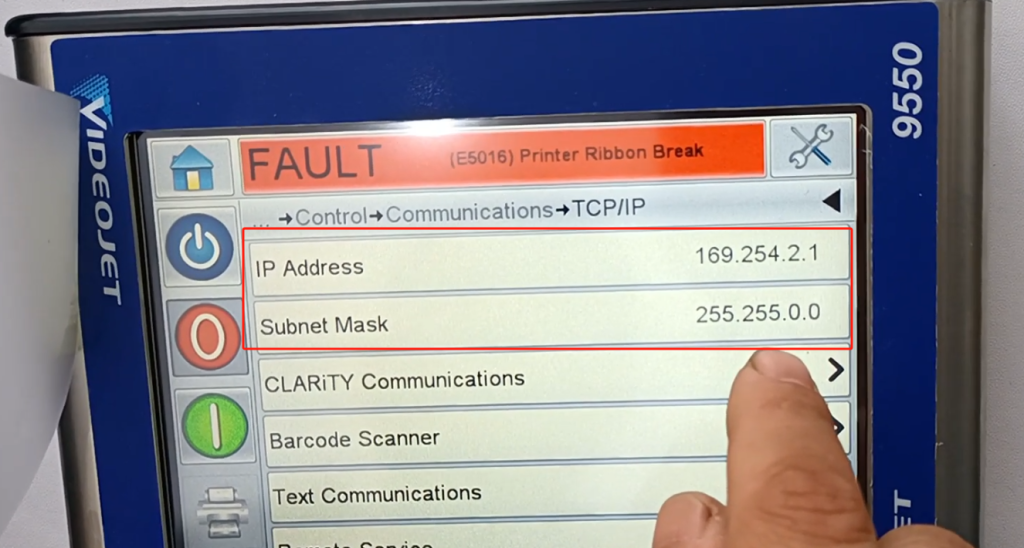
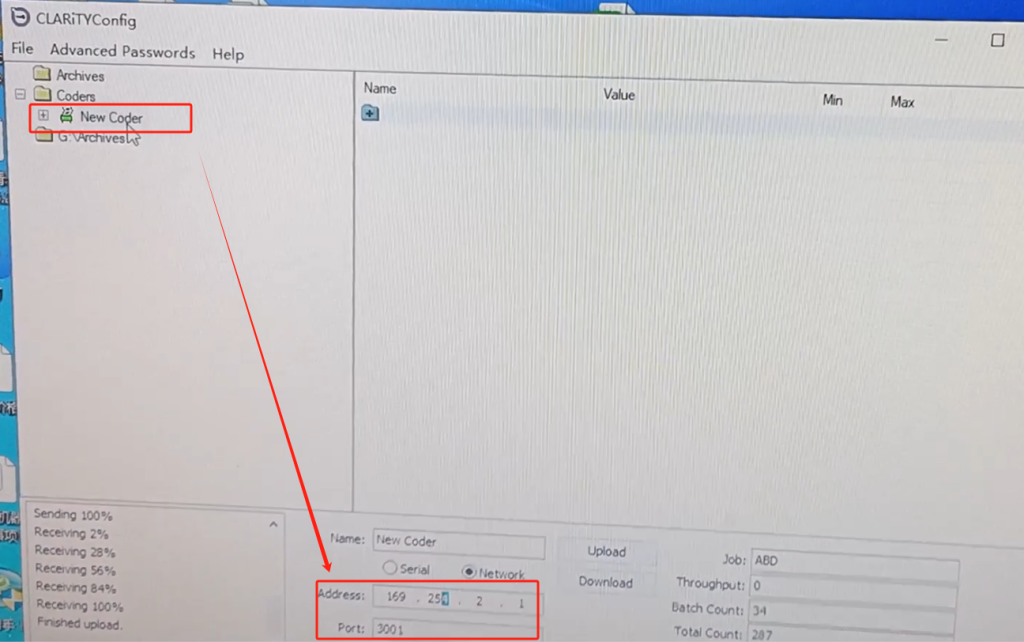
Can see its one IP address and subnet mask, we remember this 169.254.2.1 and 255.255.0.0.
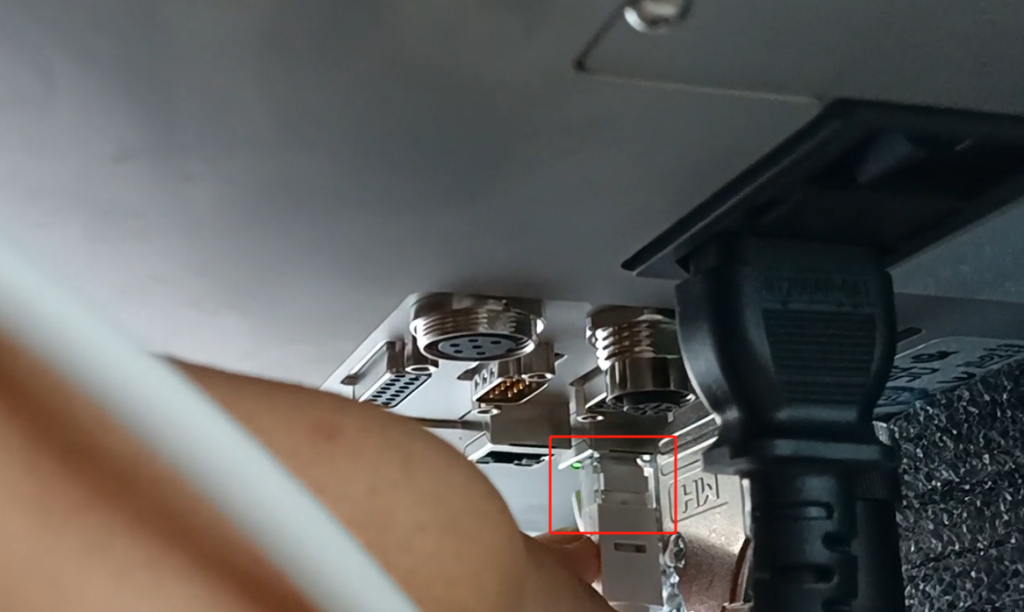
Put the network cable into the first port on our machine. And then put the other end in our computer.
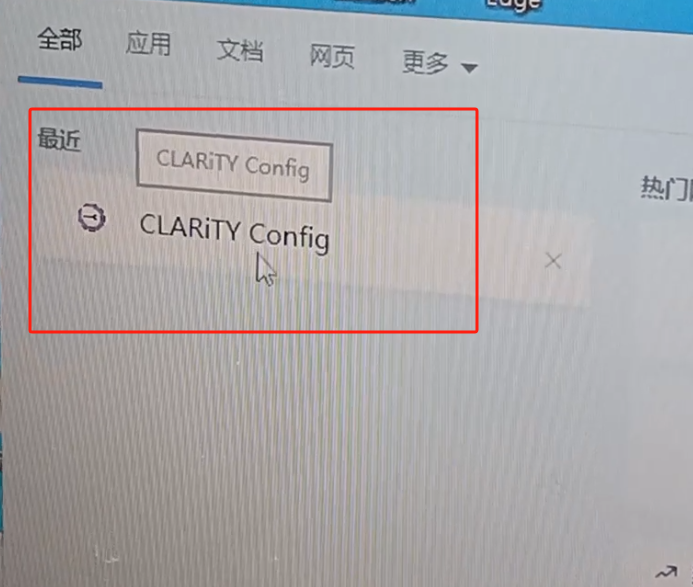
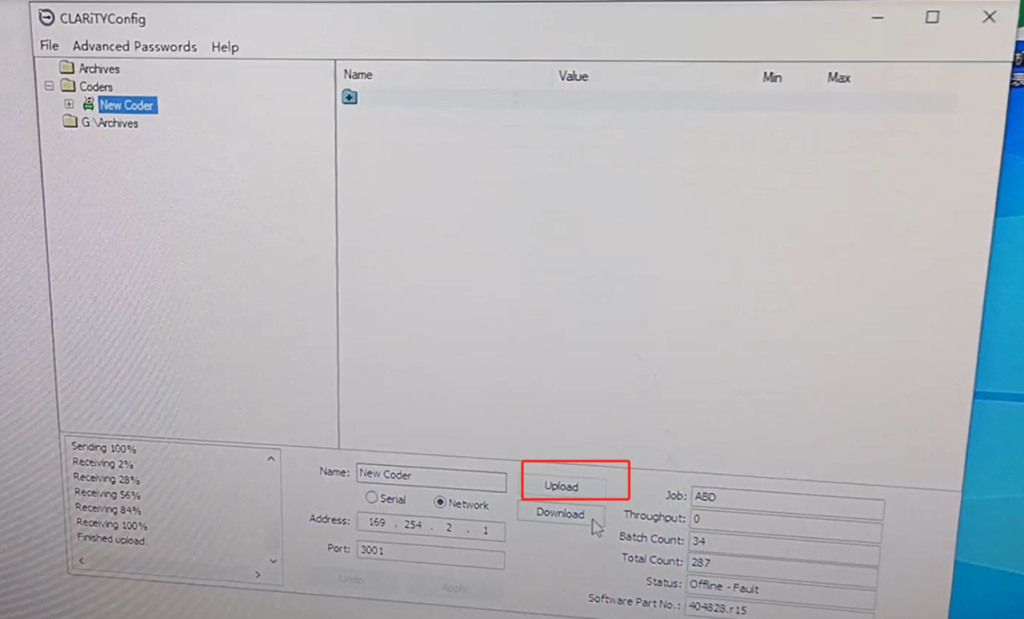
We open up the CLARiTYConfig software. After opening this software
Then press this and give the IP address to it. This Address value is just the same as what we just saw on the inkjet machine. Then the port 3001.
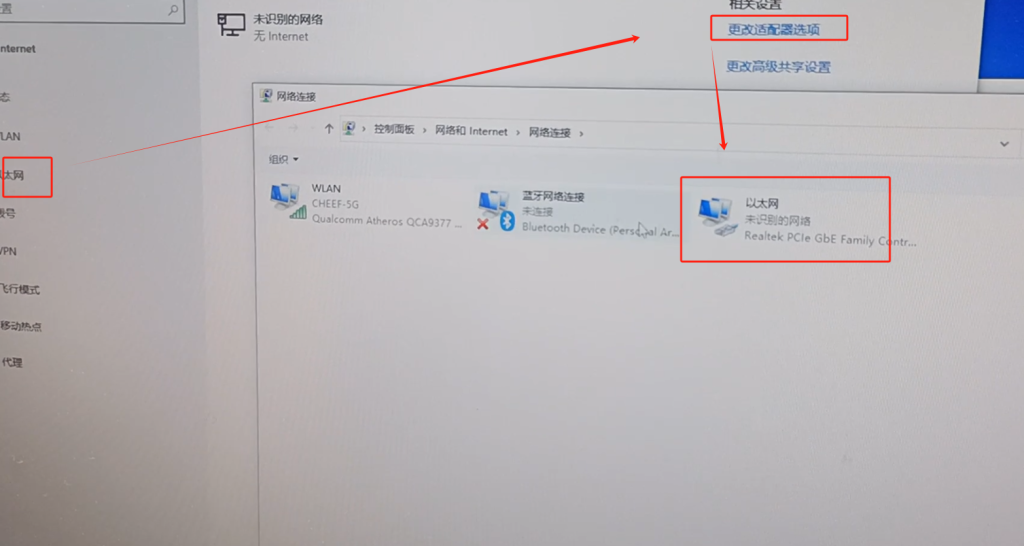
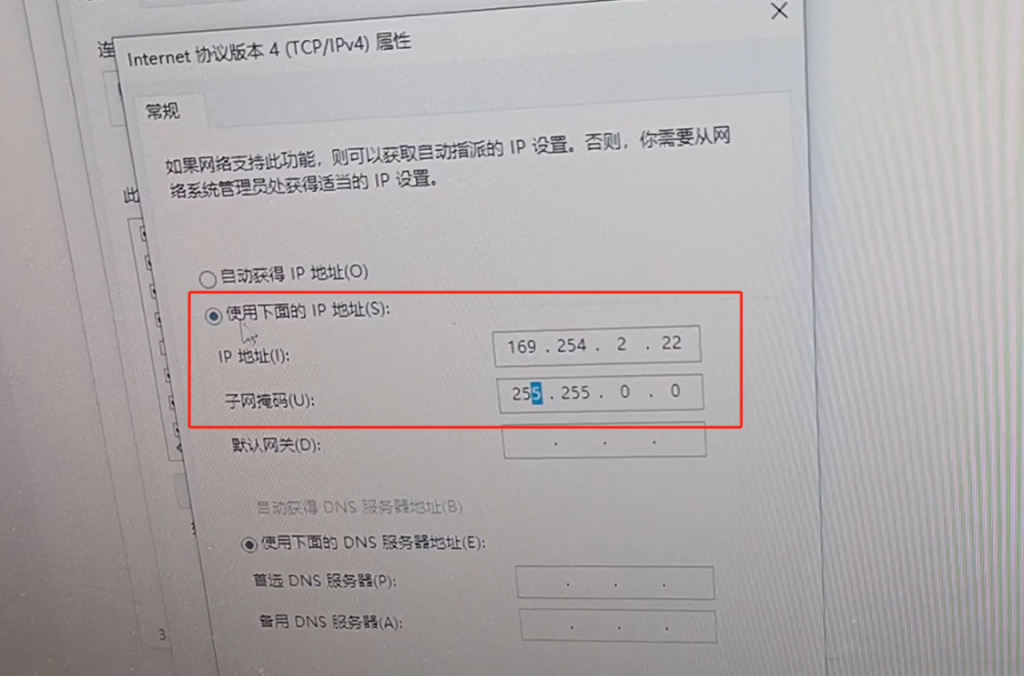
After we set this, we set up our computer. For the computer, we choose Ethernet, choose to change the adapter option, and then there is Ethernet here.
Select the properties, and then configure this IPV 4, and IPV 4 double-click.
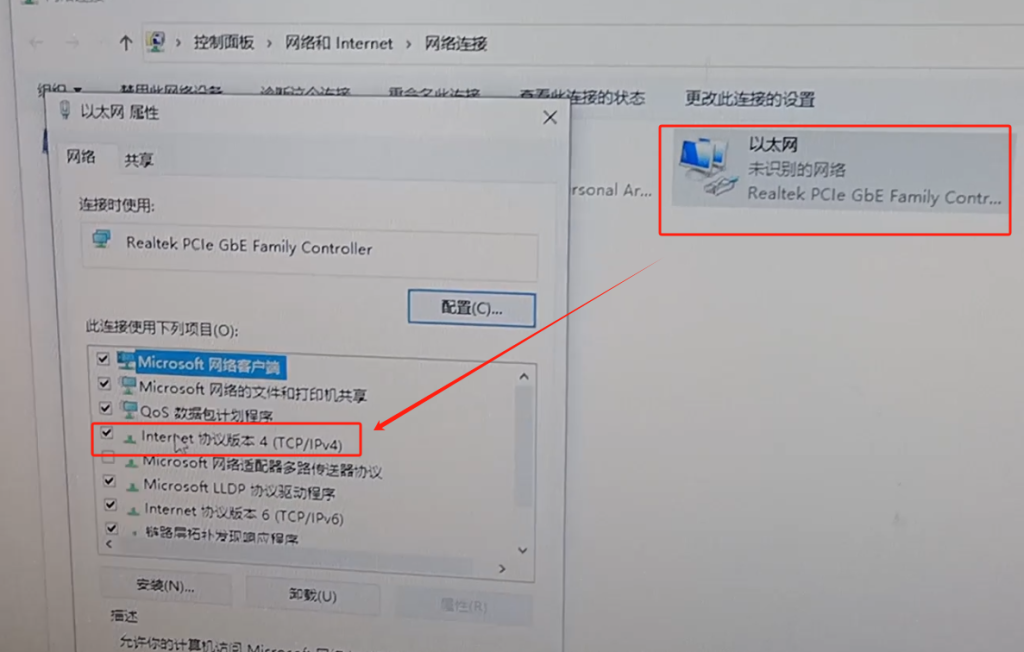
The first three addresses are also the same as the address of the inkjet printer, and then the number behind us must be different from the inkjet printer. We can choose 2 or 22 or 33, but don’t be the same anyway. Then this web page code should be the same as the inkjet code machine. After set, we must use the following address. Then the point is determined,
Then point to determine. The IP on our computer is well configured.
We will open the software after the configuration. When the software opens, we click on that connection.
After he connects successfully, then the folder option appears on our side. We pick this one, there’s a motor test here, and then we pick it. After clicking on it, there is a test here, let’s click, and then click yes.
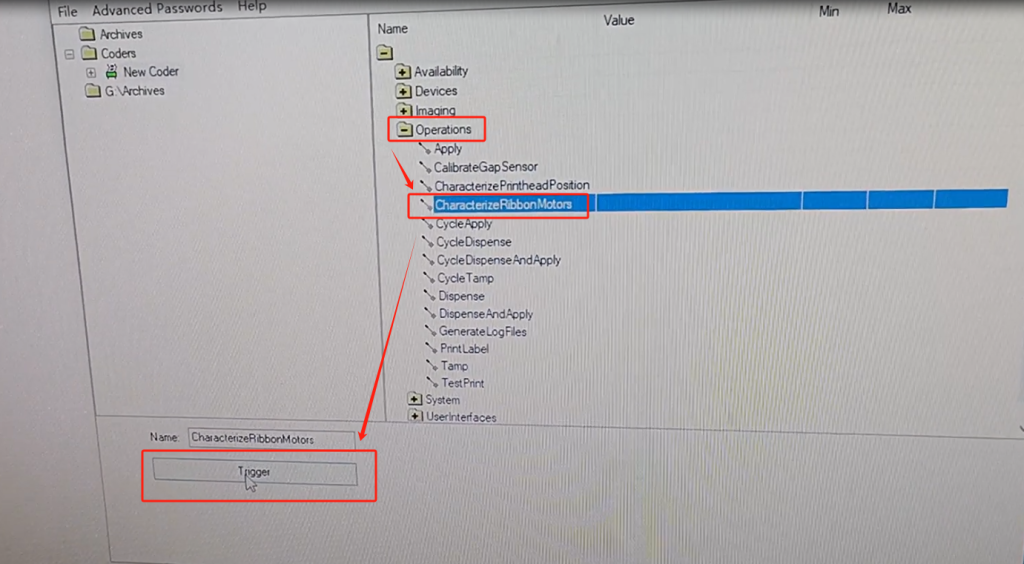
If we look at the machine, the motor will automatically calibrate for about 5-10 minutes.