How to remove the viscometer, pressure sensor and Vennheric tube of the Domino A320i inkjet printer?

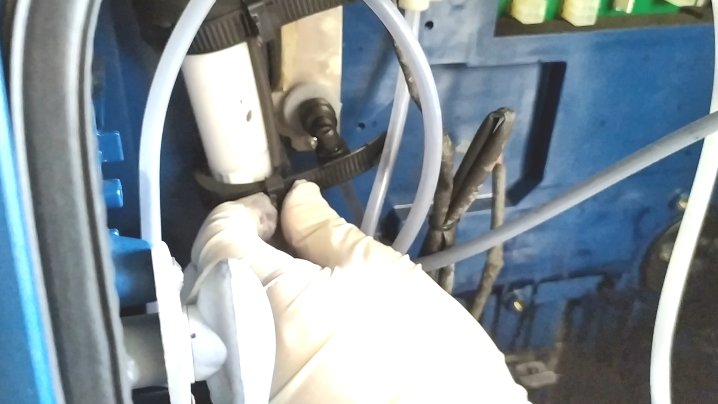
The viscometer has two tubes, and we remove this tube:

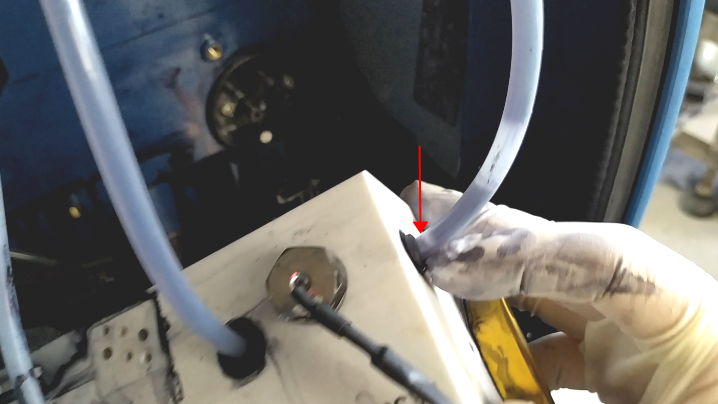
Then, remove the tube on this side as well:
Then, pull the belt up and you can take out the viscometer in its entirety:
When the tube is unplugged and then installed, be sure to install the tube in place.
 
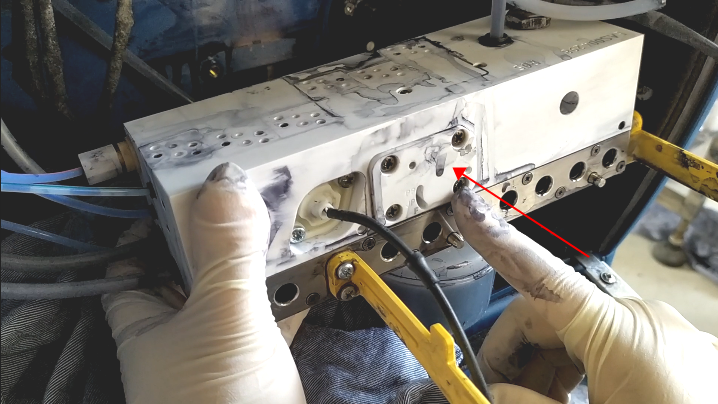
Then the pressure sensor is very easy to break, usually try not to disassemble it.
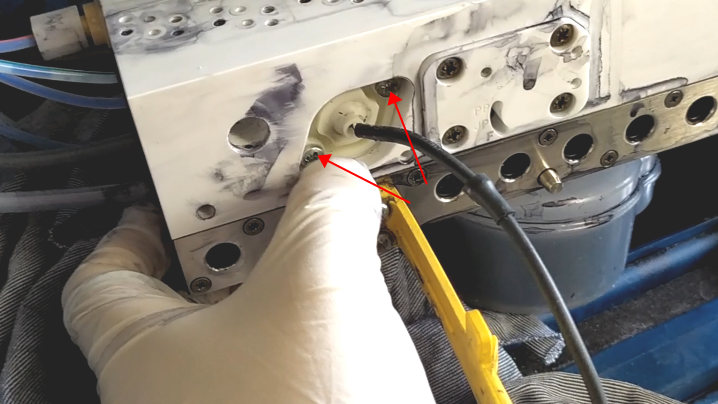
It is also very simple to remove it, you only need to remove these two screws, but if there is no problem with the pressure, you do not have to remove it, if it is dismantled, if it enters the ink or solvent here, it is easy to break:
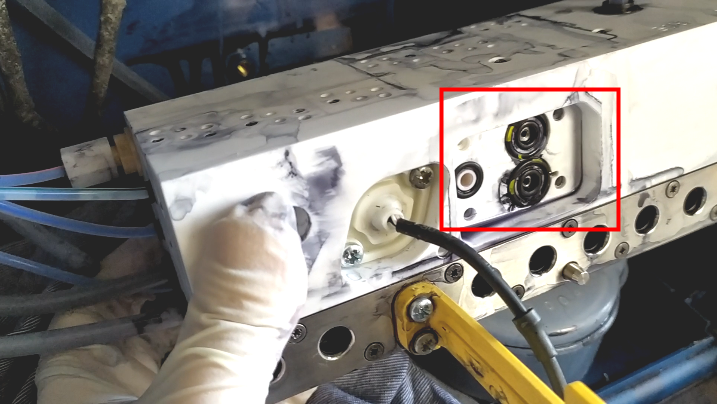
There are two Wen tubes in this one, one is a recycled Wen tube, and the other is an exhaust Wen tube:
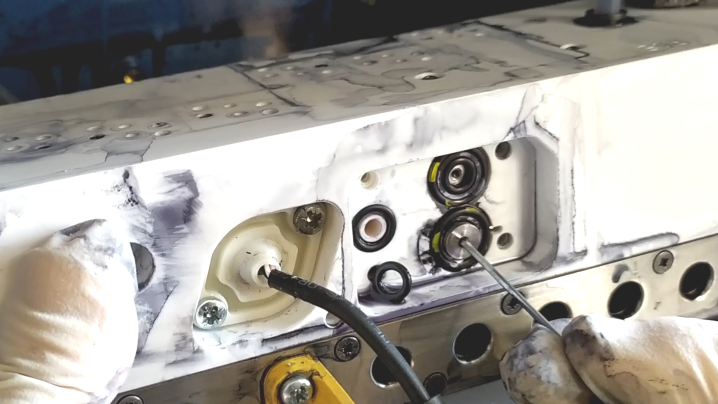
We first removed its four screws and then slowly removed the lid, which had an O-ring inside. The lower O-ring is recycled, and the upper O-ring is exhaust:
If we want to dismantle the Wen’s tube, first take off the small O-ring, and then take it out like this:
The installation is the same, first install the Wen’s tube, then install the O-ring, then install the lid, and tighten the screws.
Facebook
Twitter
LinkedIn

Leave a Reply

Your email address will not be published. Required fields are marked *