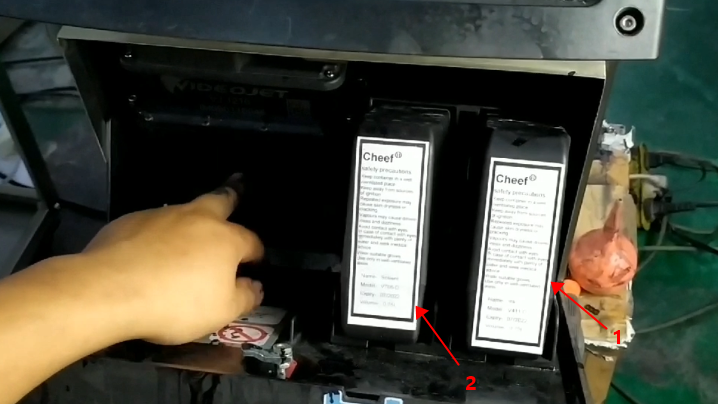
When the machine is initially used, the ink core must be empty. Match the ink and solvent to their respective positions, and then insert them. 1 is ink, 2 is solvent:
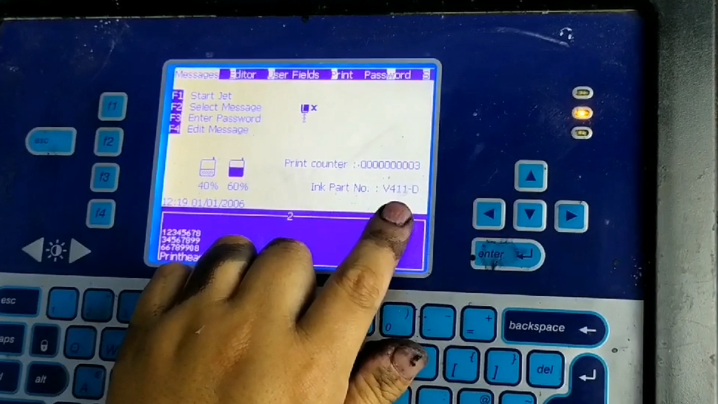
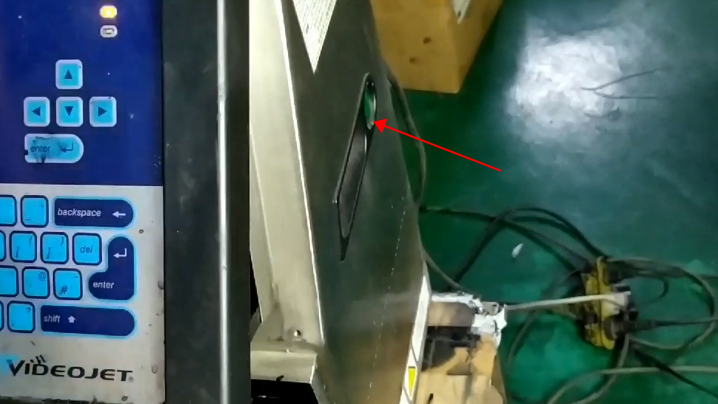
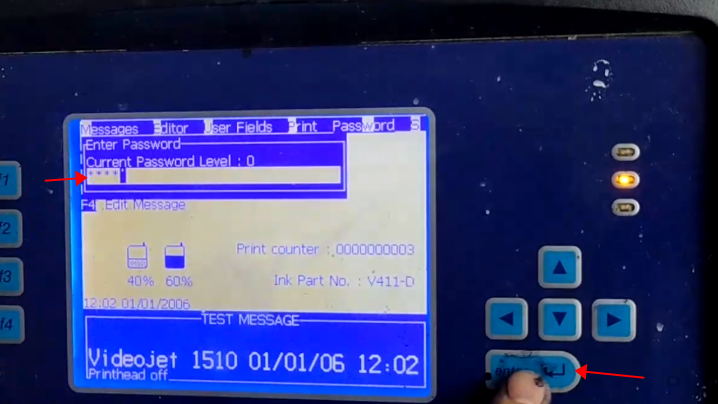
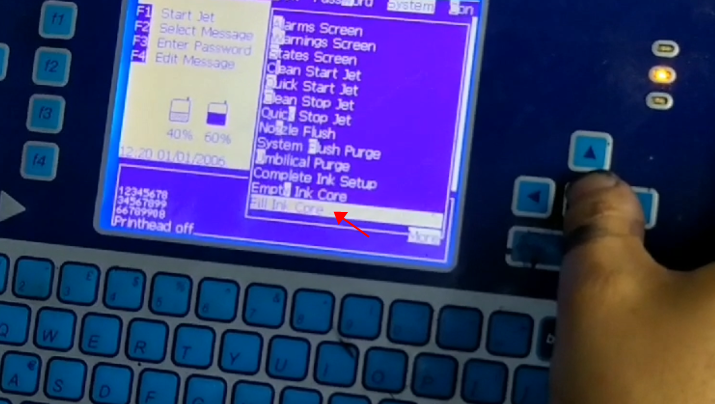
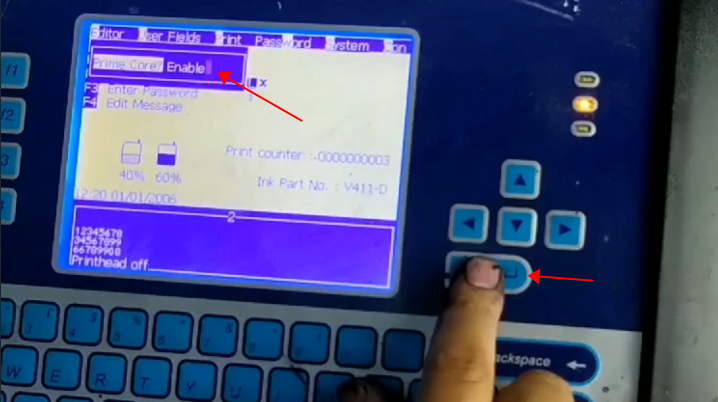
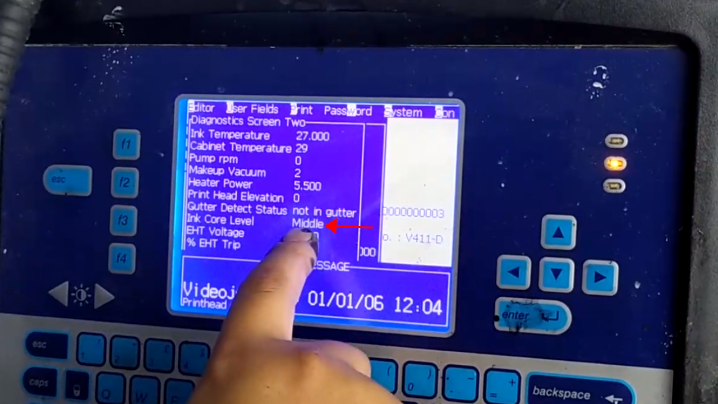
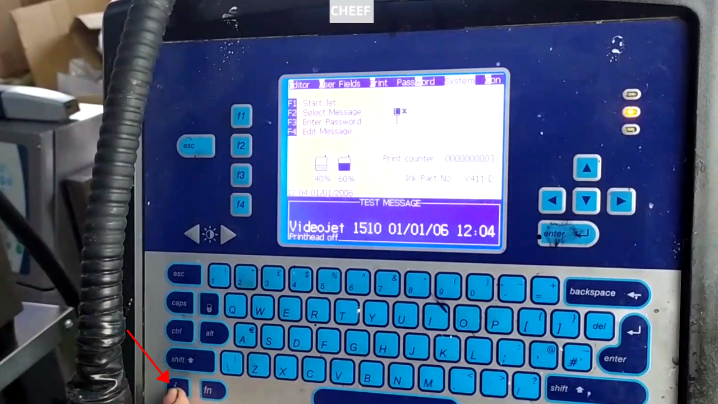
2.Select the corresponding solvent according to the ink model displayed on the screen (for example, if the V411-D ink is displayed on the screen, we need to insert the V411-D ink and its corresponding V706-D solvent):3.After inserting the ink and solvent, we can press the green button on the right side of the machine to turn on the machine, and the screen will light up in about 3-5 minutes:4.Then, we enter the primary password 2222 and press the OK key:Then select “Fill Ink Core” in “System”:Select Enable and press the Enter key:At this time, the ink will be automatically added to the ink core, and it takes about 20-30 minutes for a bottle of ink to be fully charged. When the ink is less than 5%, we need to pull out the ink bottle and insert a new bottle of ink, and then continue to “fill the ink core” in the “system”. Here if it says “low” or “empty” here, we have to fill the ink core:When you are on the main interface, press the i key twice to see the level of the ink core:
Cheef
CIJ,DOD,TIJ,Laser Coding Machines.
Machines, Spare Parts, Consumables.
One-Stop Coding Marking Solution
20 + Years of Industry Experience
Welcome to Inquiry at any time