
CFB-FL30W laser machine introduction logo explanation
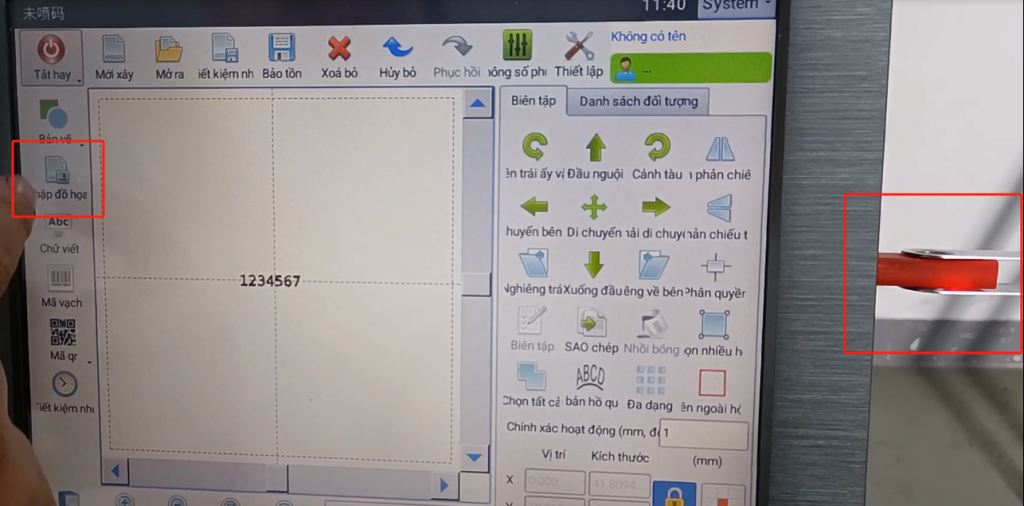
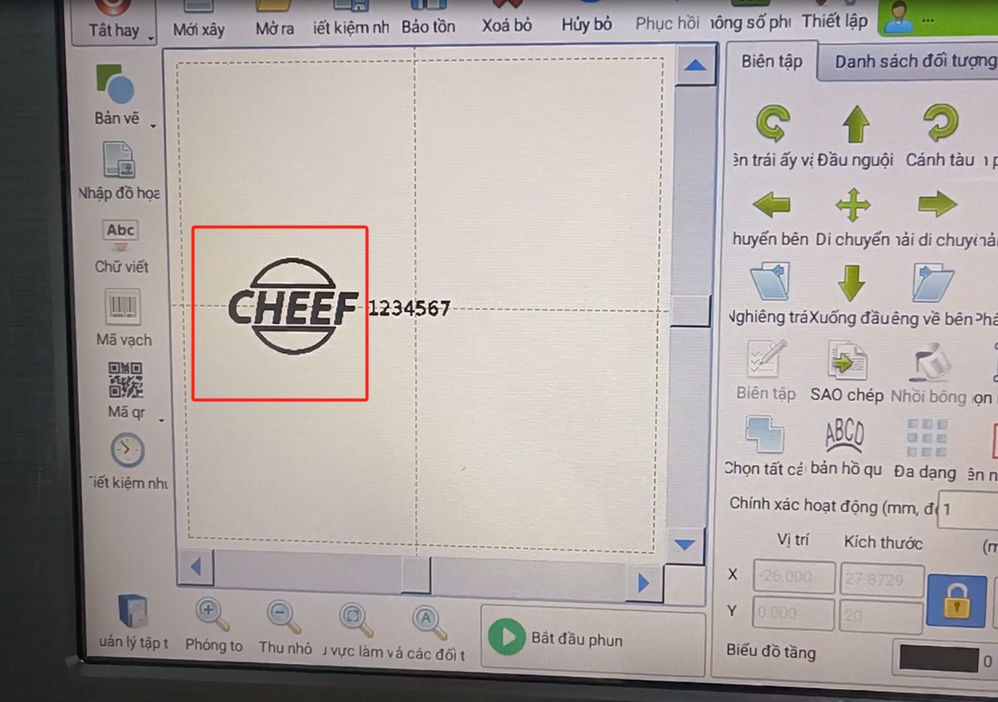
Let’s take a look at how this logo is inserted. We put the good logo file into our u disk. Then plug it into our screen, and after inserting it, we click to import the graphics.
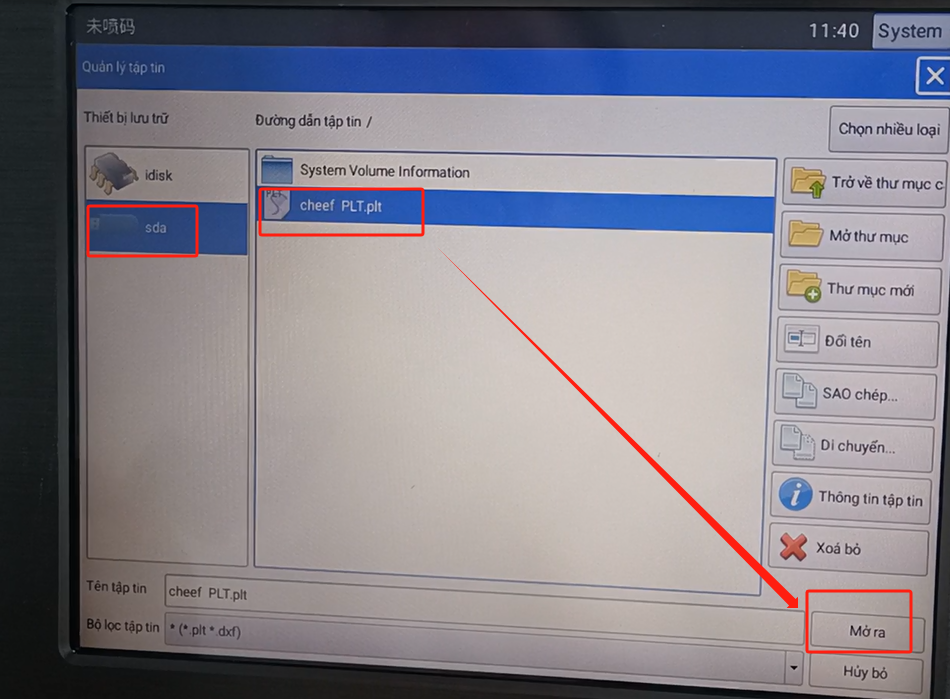
Then select USB. Select this good, u disk inside the named PLT file, select and click to open.
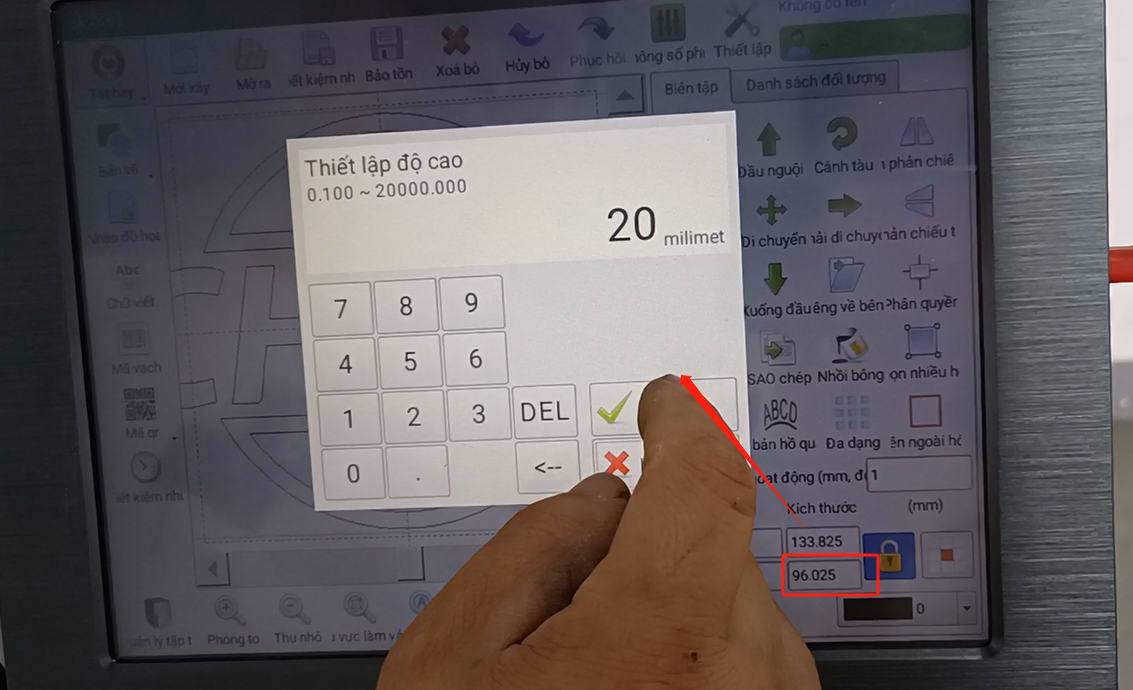
Our logo has already come in. Let’s deal with it. Let’s tune this 96 a little smaller, 20 or 30.
We moved it back, and that was already filled in. Of course, if we play hollow font, so directly can also play, so the speed is faster.

Some customers need to fill the font, then we click it, and then choose 0.2,0.1 can also be, but the dozen is slower, 0.2 dozen a little faster, and then click OK.
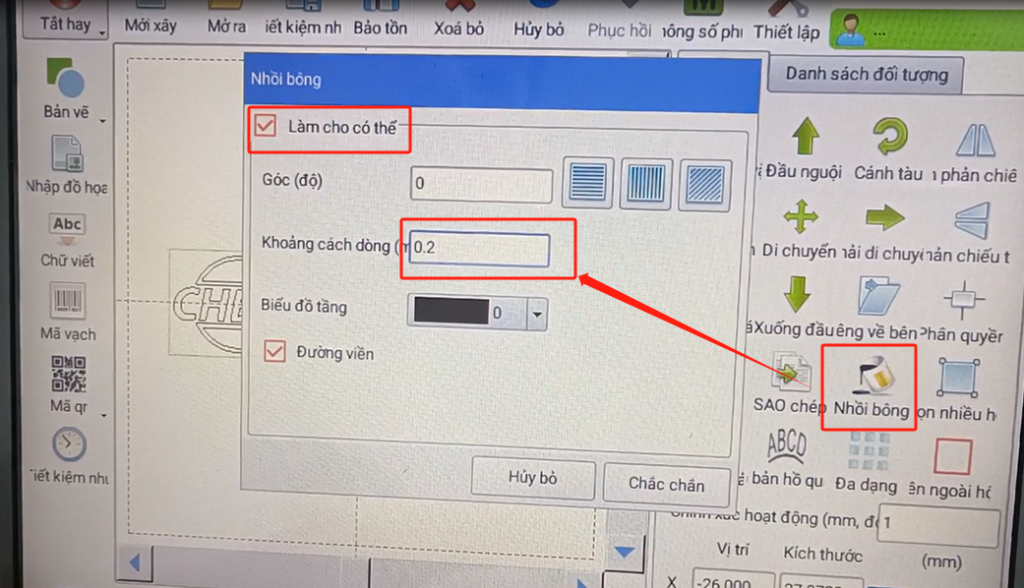
This will turn black, of course we are very slow.
If we want to play faster, we’ll pick it and cancel it, just that bit faster.


