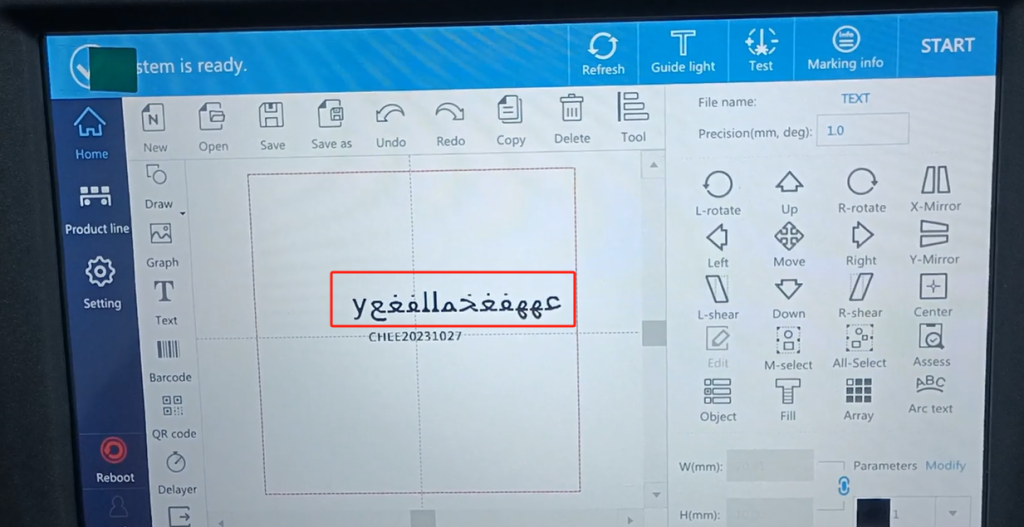
Let’s look at CFB 2 its keyboard input methods? Let’s build up a random message. Let’s see that here we now have 1234, four input methods. Then we have a setup right here. We point the set up.
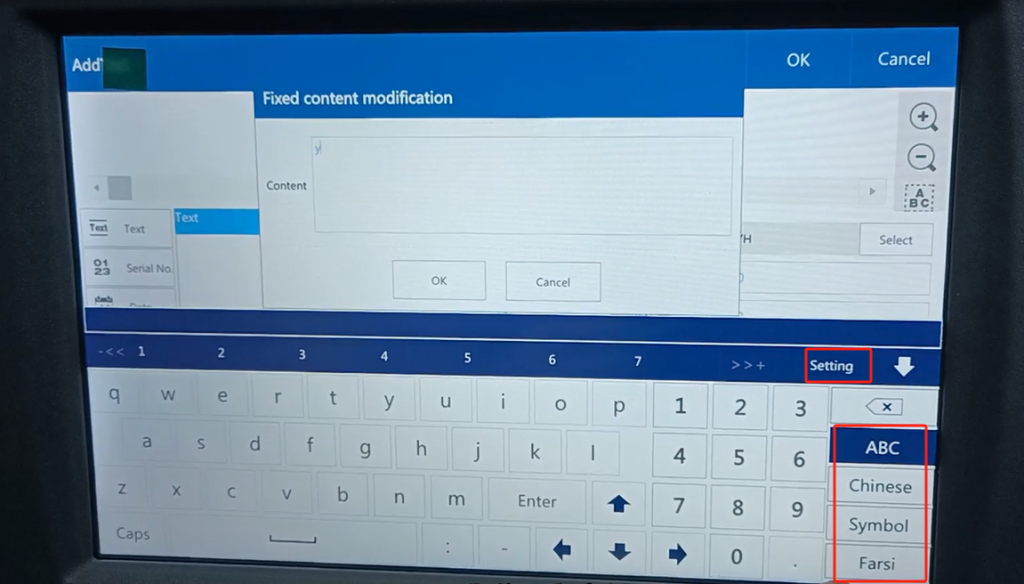
Here is our keyboard language, and here you can see so many languages, Arabic and Russian. How can I switch it over to this language? And then we can have up to four here. And then now it’s already full. If we want to switch the language on the left side to our right, we first have to choose one, choose any language we don’t use, and then we press this to switch it to the left.
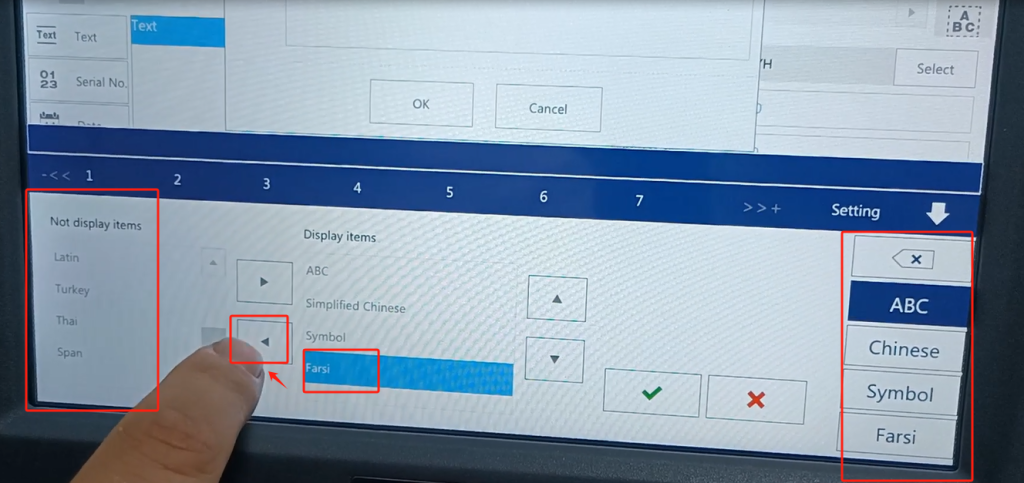
Then switch the language we need on the left to the right. Then point to confirm. Our side becomes an Arab.
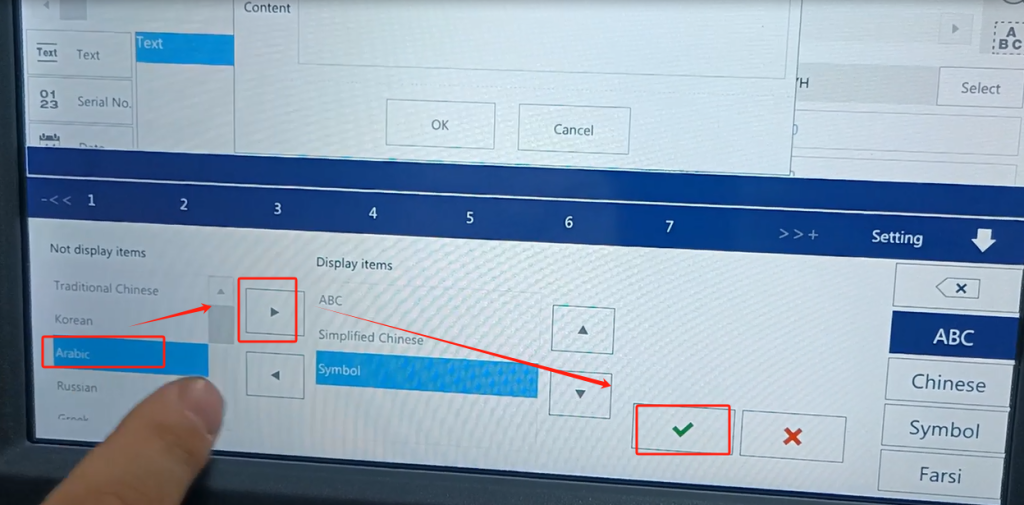
Then we will order Arabic, and we will have Arabic on our side.
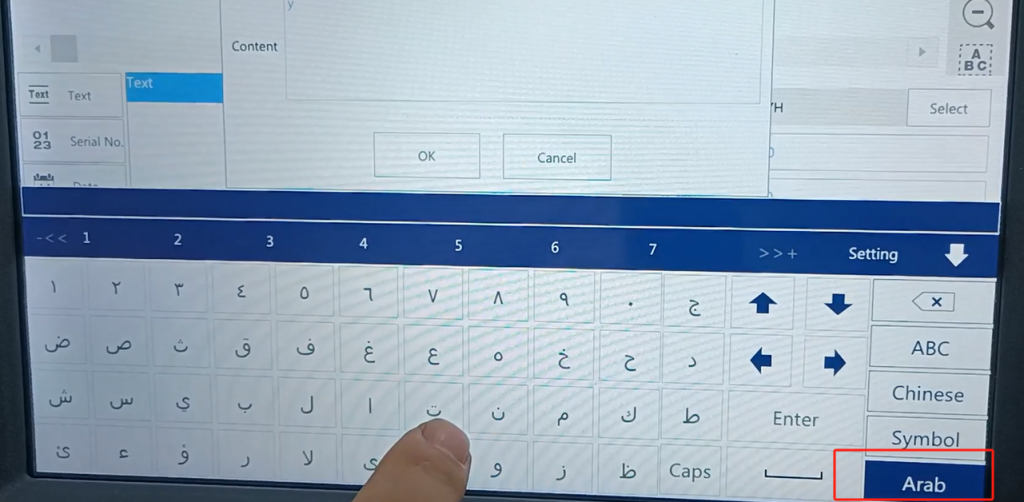
We single line mode, font may not support. We want to find a supported language, a supported font. You see, we input Arabic font, and after the input is good, we click sure. After confirming, you see his side does not show, not here, that we side this font, we now default this font is not supported.
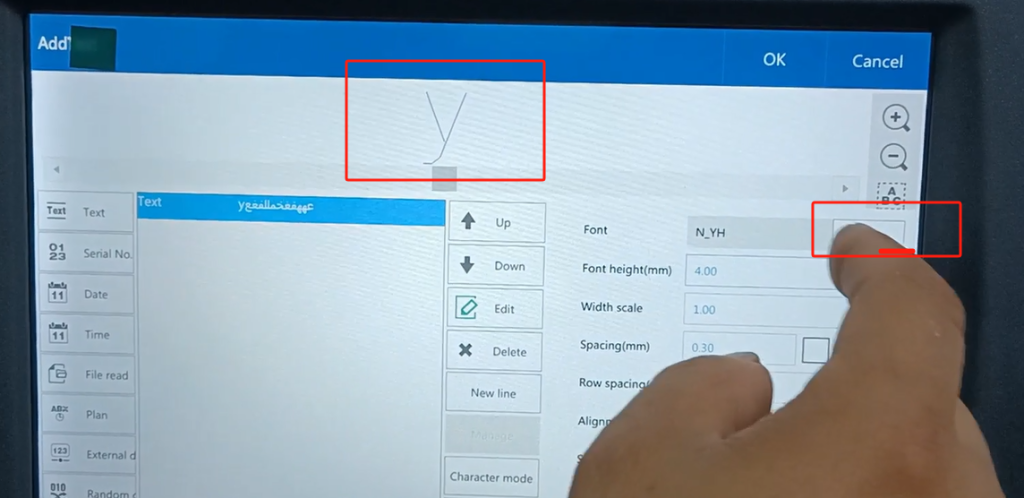
Then we can choose the supported hollow fonts. The first language supports a hollow-out font, and then determines. The supported font is displayed, the one is not supported.
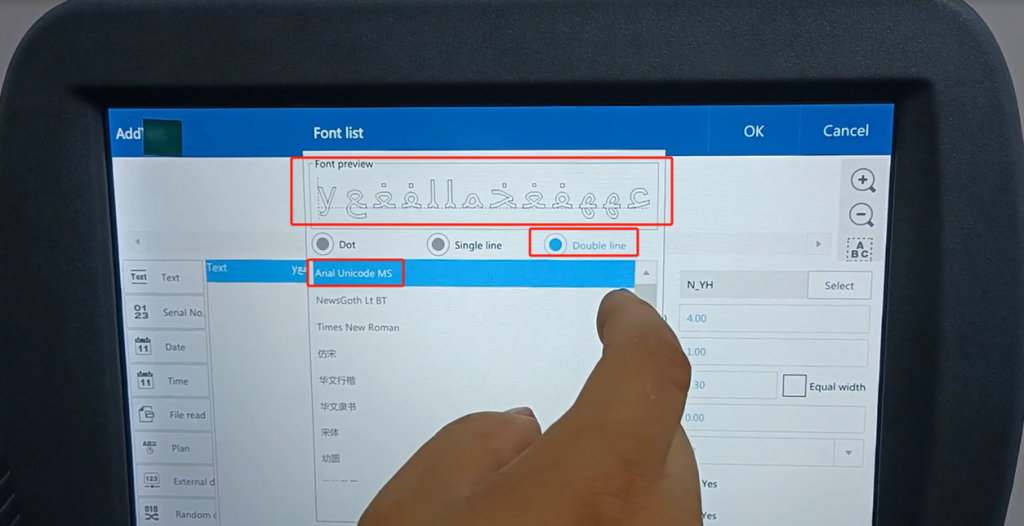
This clang and clang is not supported.
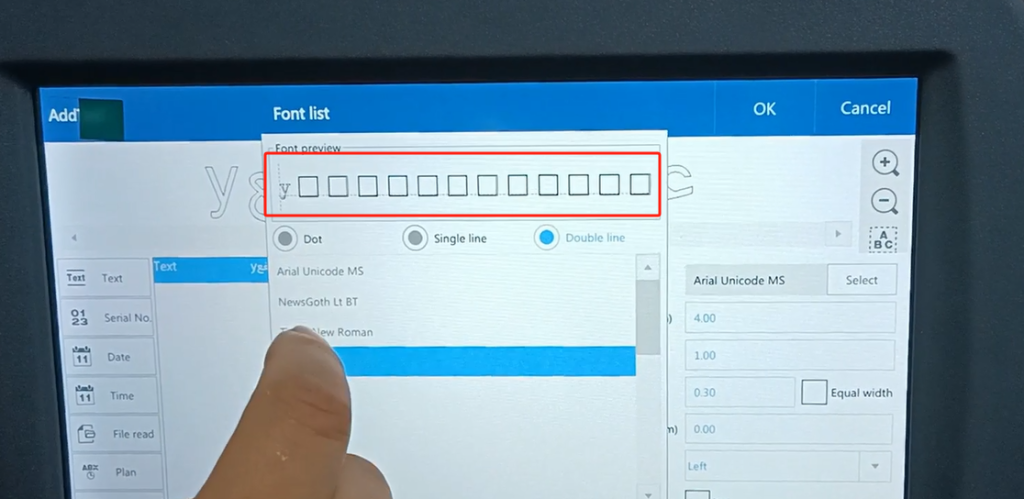
Then determine, good OK. Then we can turn it up a little bigger and see the effect. Fill in, it has some fonts do not support, we must choose the supported font.