- Renewal ITM
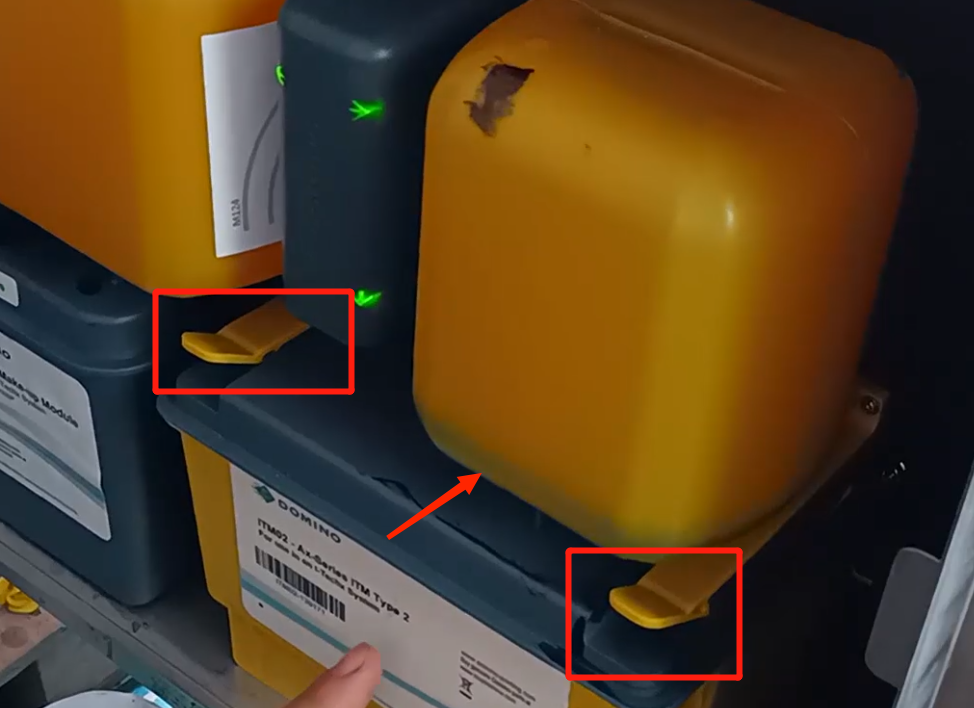
First, remove the ink bottle from the ink, and then break the two fixed cards up, and the ITM can come out.
After taking out, change a new reinstalled, installed after the must be the card slot card, and put a new bottle of ink, after putting can be executed.
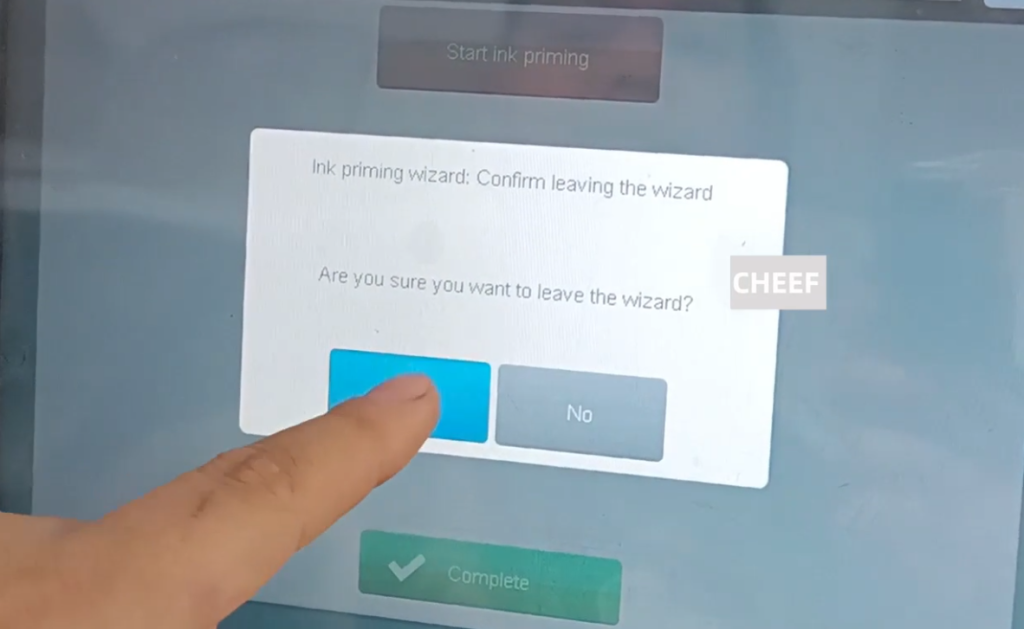
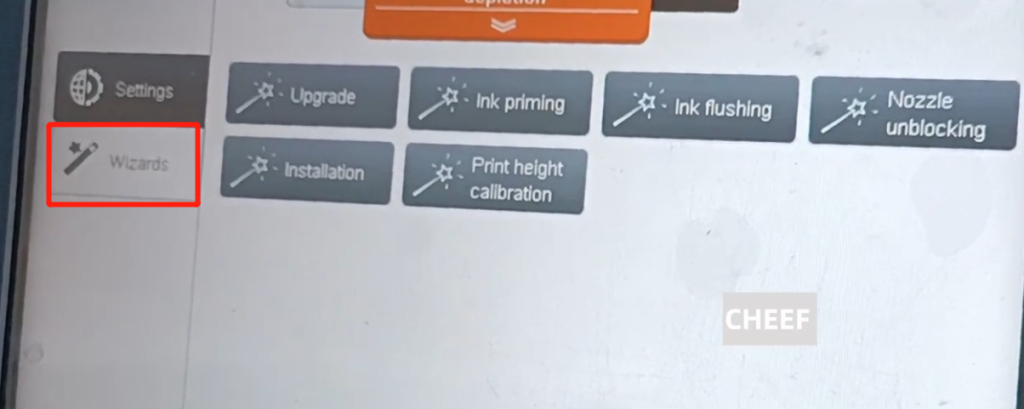
Click “Settings”, click “wizard” inside the “ink priming”, let it re-irrigation, equivalent to exhaust, until the end, it can be used normally.
- Replace the ITM chip
Do not replace the ITM, only replace its chip, the operation method is about the same.
Take off the cartridge and make sure it is down. Then lift the ITM fixing plate up, and this can be pulled out.
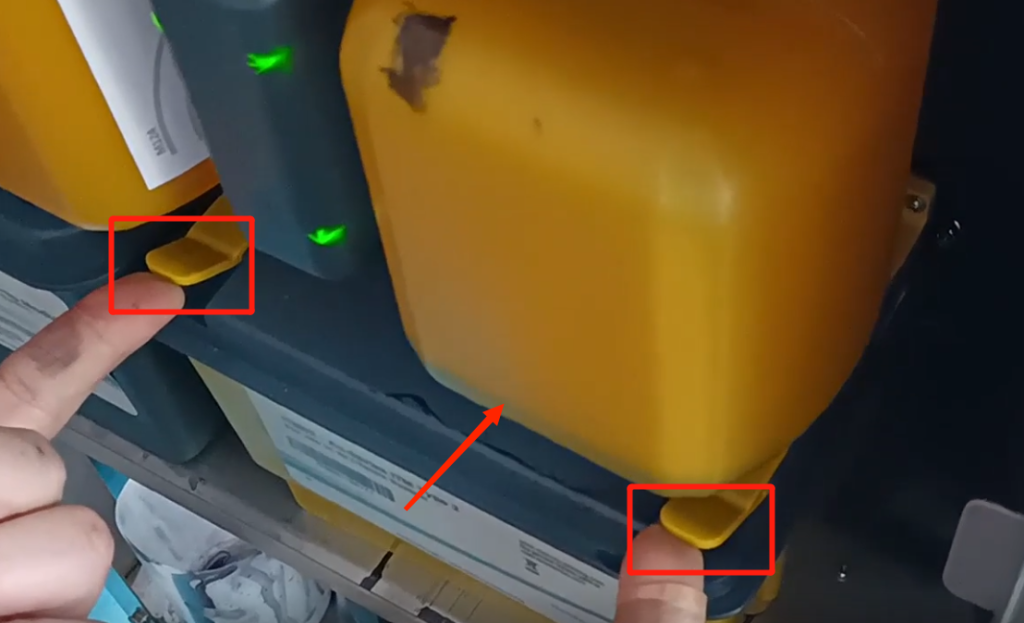
After the ITM 02, tear off the chip, paste the new chip, and then push it forward until the light is green, which represents ITM 02.
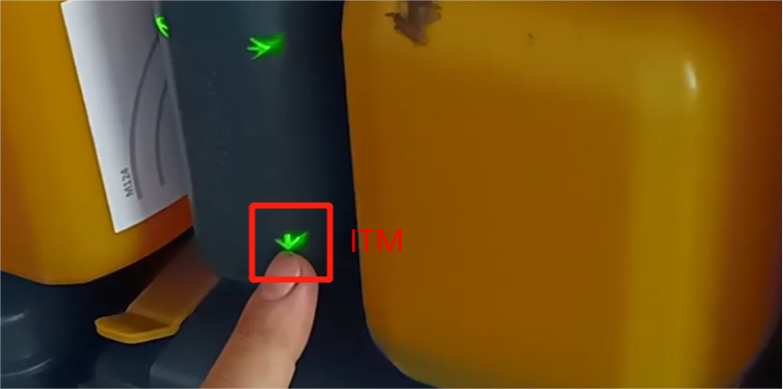
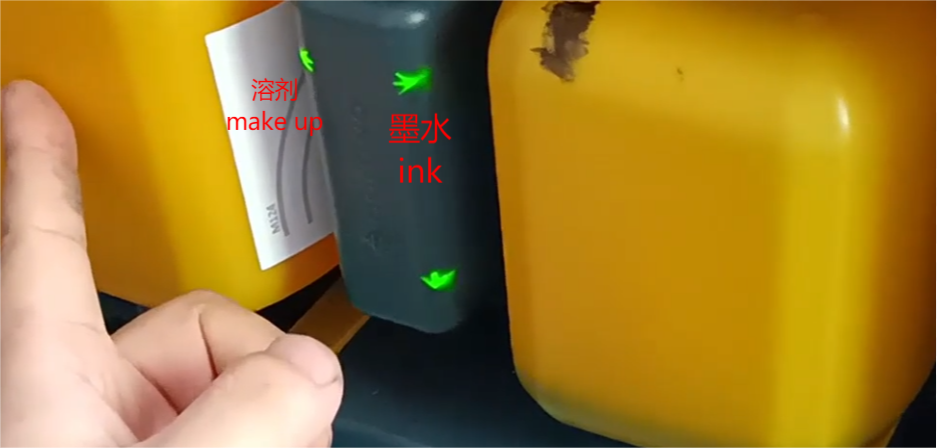
This one represents the ink chip, and this one is the solvent chip. Normally these three are green lights, and then perform ink irrigation.
Since the ITM has been pulled out and contacted with the air, it is possible to enter the air, so it must be discharged again. Just click to go.