
Let’s take a look at the CFB 2 laser logo and how its LOGO plugs into the machine. We logo format must plt format. We put the logo and put it into the u disk. And then plug it into our side with a USB port. We pulled it off and pulled it down with a USB port. Then we plug it in.
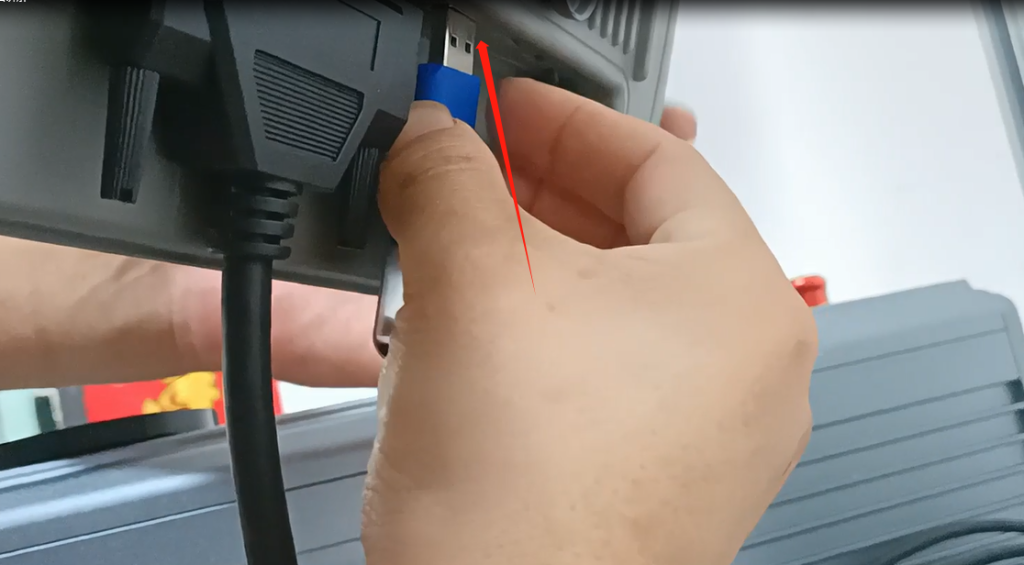
After inserting, let’s click on this picture here. Click on it and then point on USB. It doesn’t show because we didn’t choose plt in the format. Click to select the plt format.
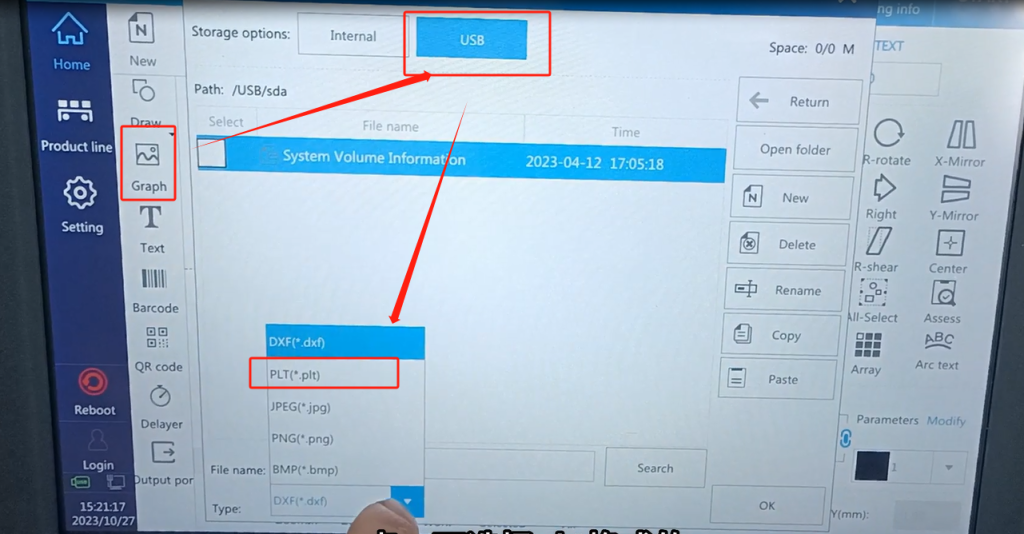
It will show up. We selected it. Select it and then click on OK.

So here’s where we put it in. This is a little big now, we can modify it. First, let’s fill the whole thing with it. After filling it in and adjusting it, then he changed the shape again. Then we changed it down to the size we wanted. This picture is plugged in.


