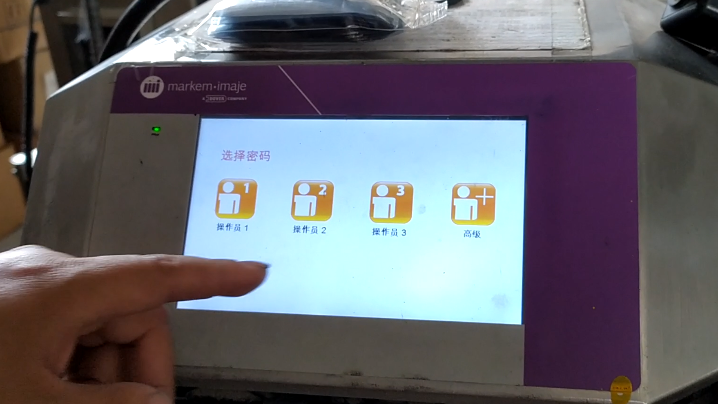
Then enter the advanced password, each day the advanced password is different, after the input is complete, and then return to the main interface.
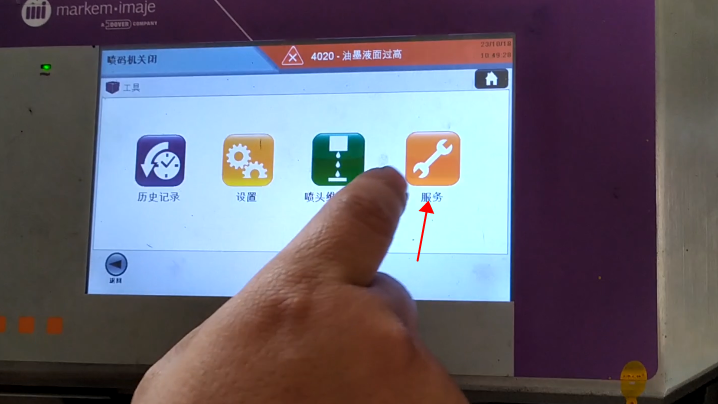
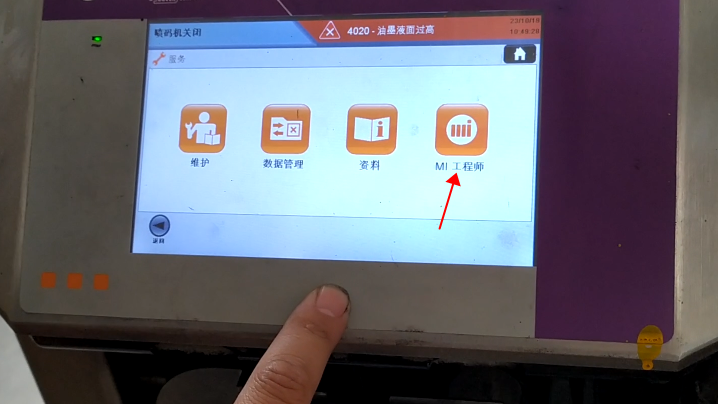
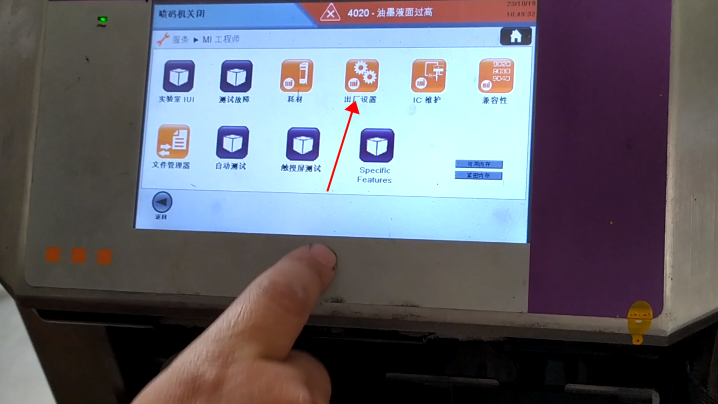
Then we click Tool:Then, click Service:Then click MI Engineer:Then, click Factory Settings:Our current model is MB175 ink:If we want to change the solvent we have to change the ink, because the ink and solvent are one-to-one correspondence, MB175 corresponds to A188.
We now choose FB660:FB660, its corresponding model is A661.
Then, after selecting it, we click NEXT:Click yes:Then we click the key in the middle:Then,power off the machine and restart.
Then we click on one of the keys:Then the models have now become the A661 and FB660:The changed ink model and the solvent model correspond one-to-one, and it will automatically come out.
Cheef
CIJ,DOD,TIJ,Laser Coding Machines.
Machines, Spare Parts, Consumables.
One-Stop Coding Marking Solution
20 + Years of Industry Experience
Welcome to Inquiry at any time