
First, let’s take a look at which type of recycling fault it is
If the ink line hits the recycling tank and it reports a recycling fault; Or is it said that the ink line did not enter the recycling tank and reported a recycling fault.
If it enters the recycling slot and still reports a recycling fault, it is usually a motherboard issue.
If it does not reach the recycling tank, a recycling fault will be reported; If the screws don’t move, then we need to clean the nozzle
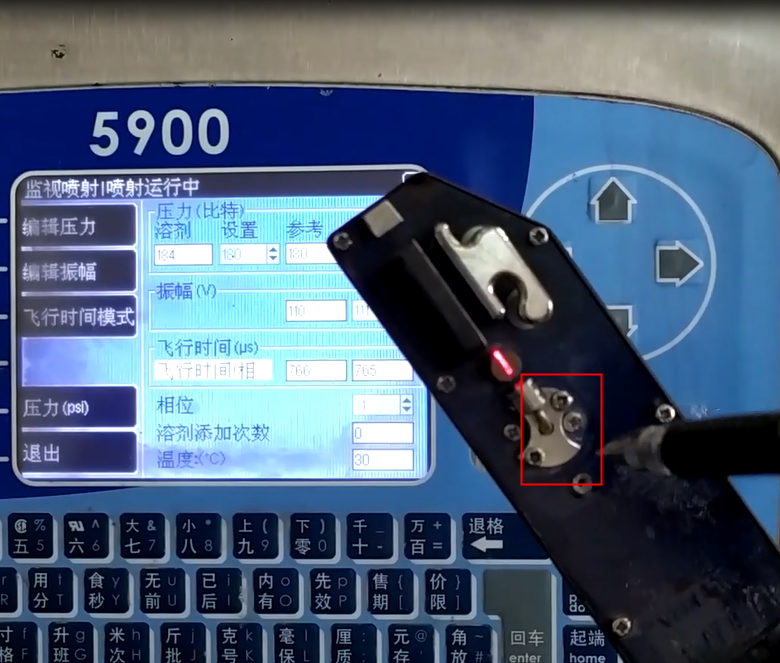
Let’s take a look. If the nozzle is blocked and the ink line deviates, a recycling fault will be reported.
We will enter the injection program and press the Enter key key.
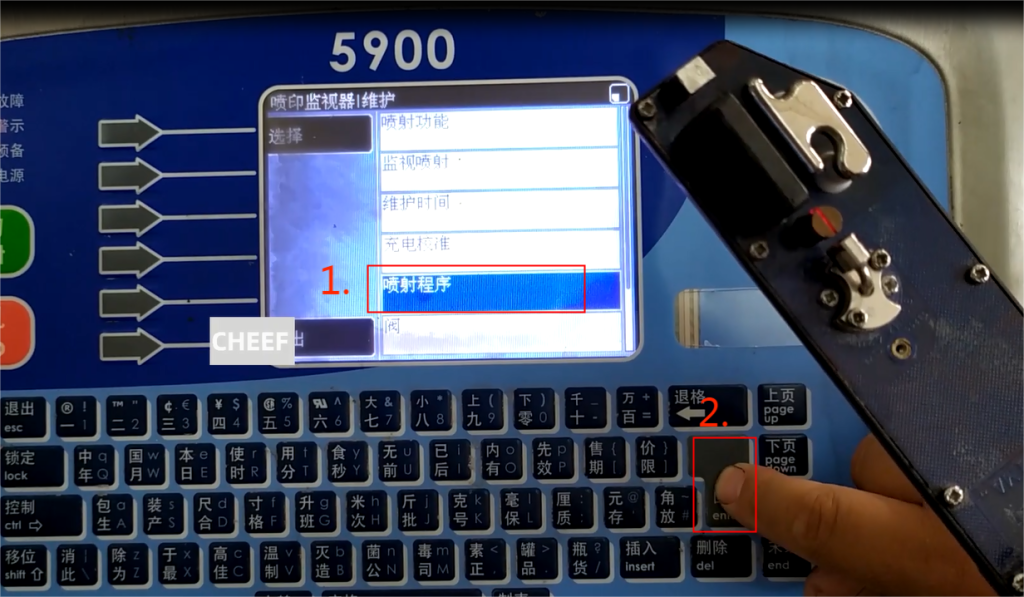
There is a ‘nozzle cleaning’ here, and we need to perform nozzle cleaning
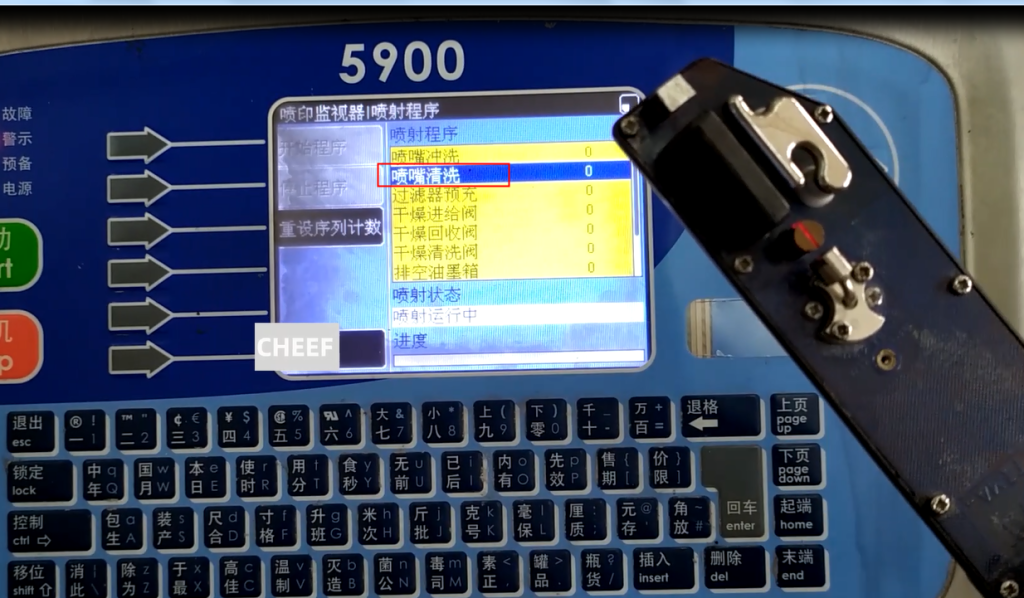
To perform “nozzle cleaning”, we need to hold the cleaning kettle towards the nozzle, squeeze the cleaning solution vigorously, and then let it suck in, so that the nozzle can be opened

If it doesn’t work at once, we can wash it a few more times, four or five times, and then we can try rinsing the nozzle again.
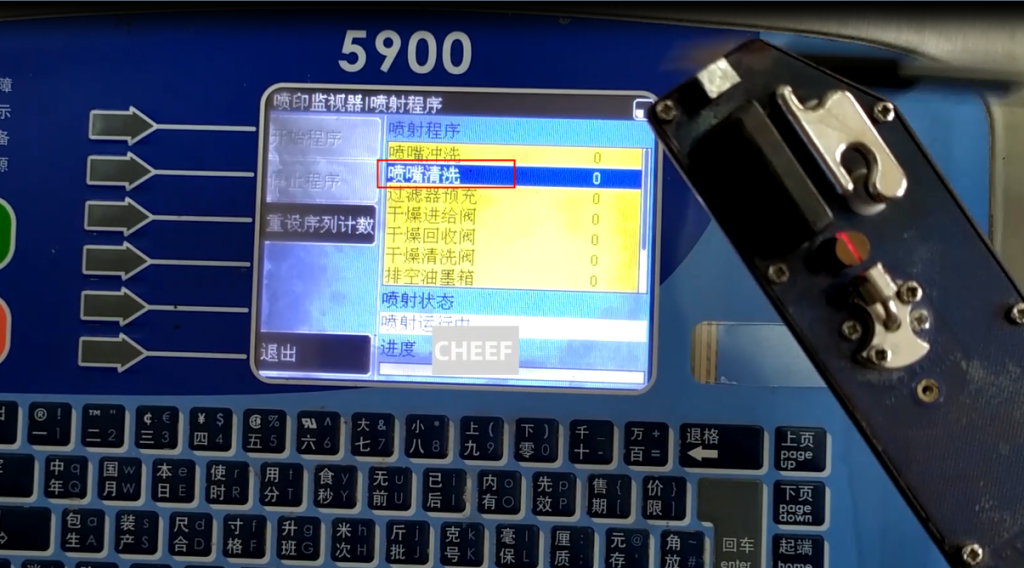
The nozzle flushing is carried out by injecting solvent from the nozzle and then entering the recycling tank for flushing. We just use these two (nozzle flushing, nozzle cleaning), and then open the nozzle.
Another option is that the ink line can reach the recycling tank, but the recycling tank does not recycle. Then we need to check the recycling pipe.
First, remove the colorless pipes from the tee
Then use an ear wash ball to blow in some cleaning solution and spray it in from here
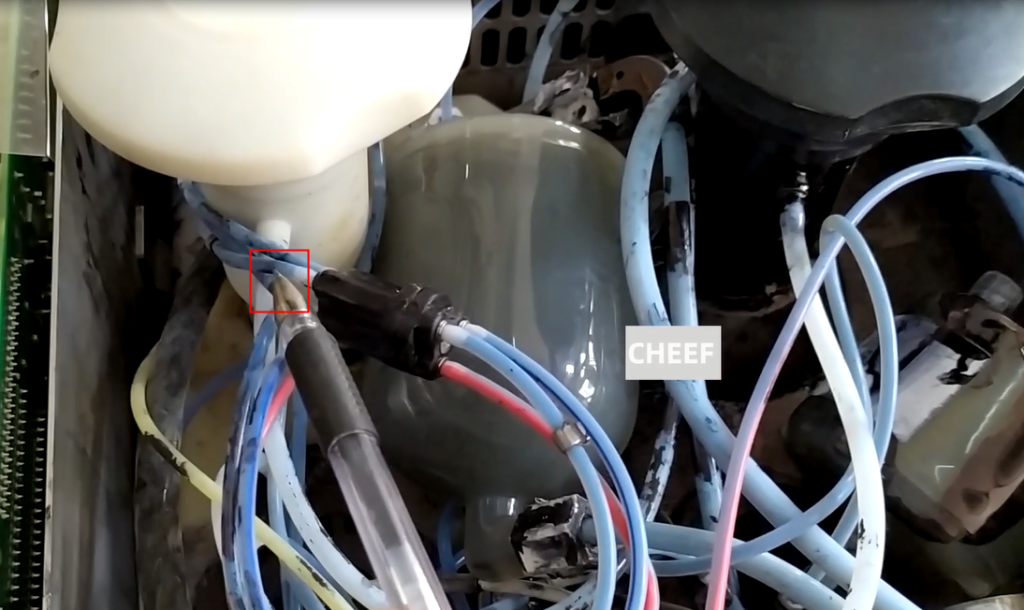
Then there will be a spray of cleaning solution inside

If it doesn’t spray out, it means the recycling pipe in the throat is blocked. If it can be sprayed out, it means that the tee is connected all the way to the recycling tank. Then we will have to extend it later.
Check if the Venturi tube is blocked.
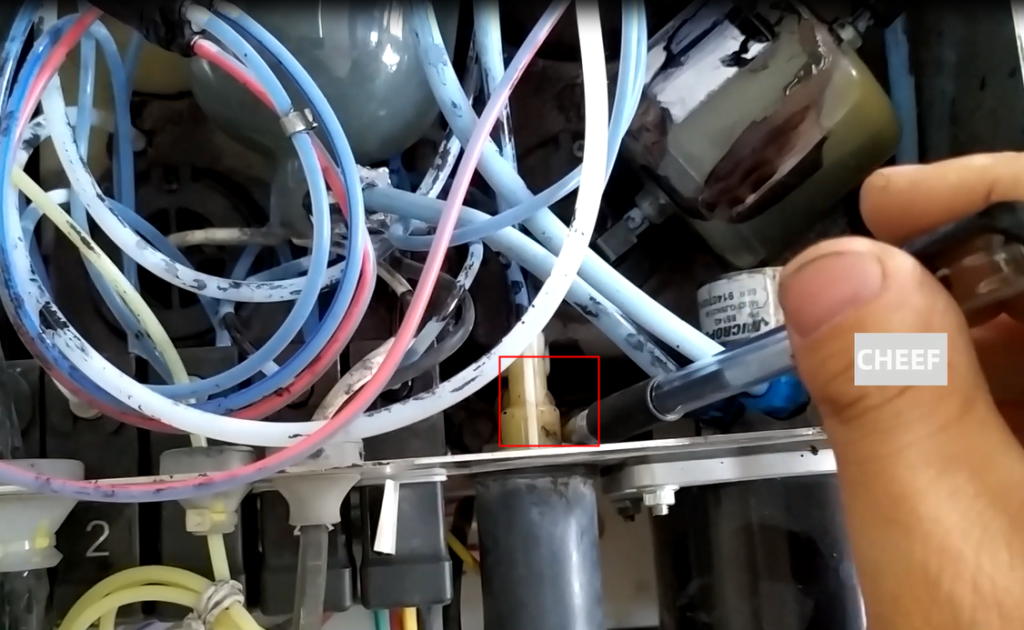
Also, is there a problem with our recycling valve? The recycling valve can be disassembled and cleaned
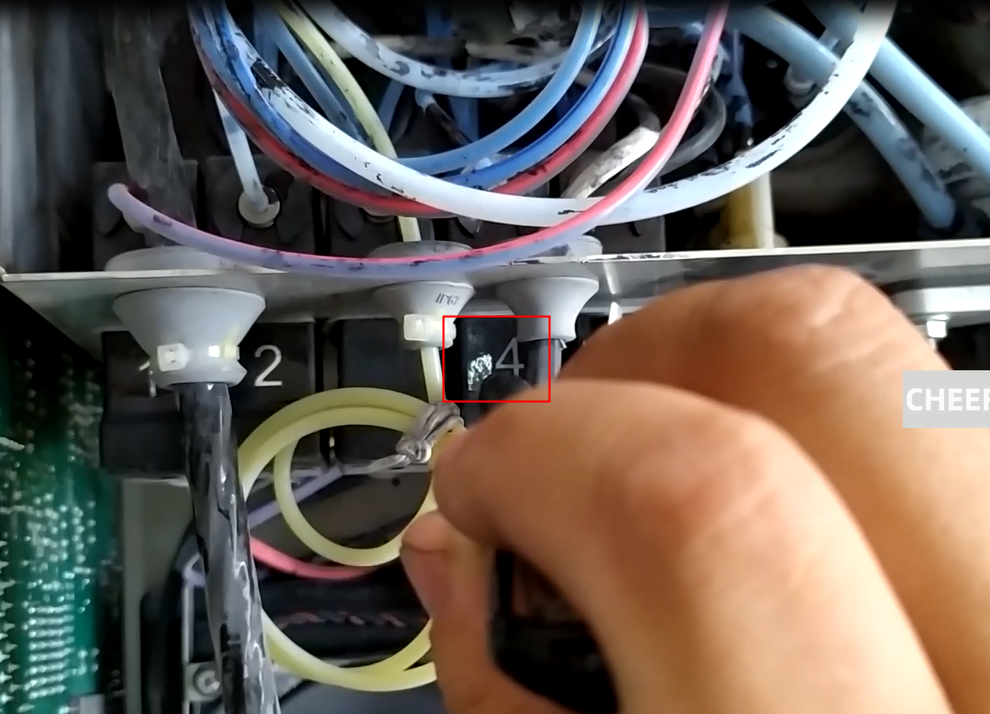
By analogy, conduct investigations from front to back, all the way to the Wen administration.

