
Connected Diagnostics & Resiliency: Videojet Web Server and Rapid Recover Framework
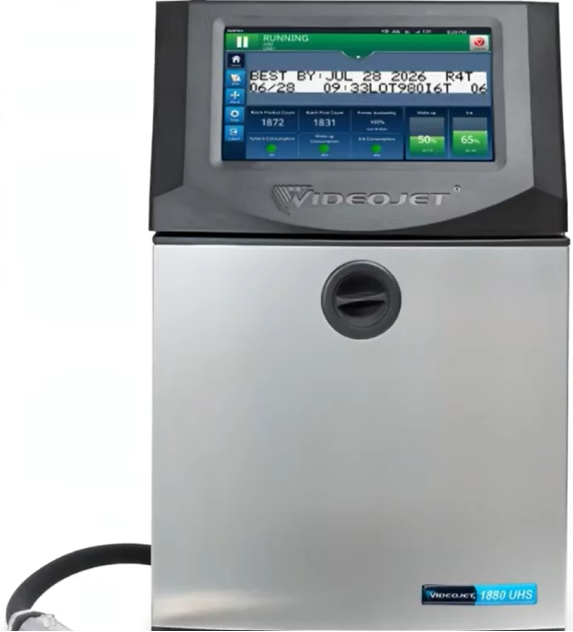
To reduce total cost of ownership (TCO) and maximize equipment uptime, current generations of the Videojet Continuous Inkjet (CIJ) series operate under a dual-layer remote access and rapid troubleshooting framework: The Embedded Web Server and Rapid Recover.
These systems address two common challenges in modern packaging facilities: off-site engineering support constraints and low operator familiarity due to high workforce turnover.
1. The Embedded Web Server: Cross-Platform Browser Control
The Videojet SIMPLICITY™ architecture features a built-in HTTP Web Server that allows remote access to the printer’s primary control interface. This feature eliminates the need to install dedicated, proprietary software clients on workstations.
[Any Standard Web Browser] (Mobile / PC / Tablet / OEM Panel)
│
(LAN / Network Connection)
│
▼
┌─────────────────────────────────────────────────────────┐
│ Videojet SIMPLICITY™ Web Server │
└────────────────────────────┬────────────────────────────┘
│
┌──────────────────────────┴──────────────────────────┐
▼ ▼
[Permitted Operations] [Banned Operations]
• Remote Start / Stop Printing • Modifying Production Line Layouts
• Real-Time Main Screen Mirroring • Accessing Advanced System Performance Apps
• Message/Job Creation & Editing • Viewing Machine System Logs
• Consumable Asset Level Tracking • Any Function Requiring Super-User Passwords
Purpose and Deployment Scenarios
- Contained-Environment Compliance: In cleanrooms or strict bio-security environments (such as pharmaceutical packaging or food isolation zones), entering and exiting requires clean suits and sterilization protocols. Plant engineers can use the web server to monitor and control the printers remotely from outside the containment zone.
- Centralized Network Fleet Control: Supervisors can monitor fluid levels, adjust message parameters, and start or stop print jobs on multiple machines across the facility from a central desktop PC, tablet, or integrated OEM control panel.
Supported Operational Scope
Through a standard network browser, the system permits a wide range of everyday operational tasks:
- HMI Mirroring: Displays a real-time view of the primary printer screen.
- Remote Jet Management: Allows users to start or stop print cycles and power the machine on or off remotely.
- Job & Message Editor: Remote users can create, edit, modify, and queue alpha-numeric code layouts and batch text.
- Consumable Tracking: Provides live tracking of active ink and solvent usage metrics.
Safety and Security Restrictions
To maintain equipment safety and prevent unauthorized changes to line configurations, several critical administrative functions are completely blocked from remote web browser access:
- Production Line Infrastructure Modifications: Layout adjustments and line configuration changes must be completed directly at the physical machine panel.
- System Performance & Deep Log Audits: Accessing hardware log screens or hidden performance applications is restricted.
- Super-User Security Isolation: Any calibration routine or parameter adjustment that requires a top-tier field technician or super-user password cannot be performed over the web server interface.
2. Rapid Recover Function: Mitigating Workforce Turnover
More than 90% of sudden CIJ printer faults stem from two recurring issues: fluid path return gutter errors and Extra High Tension (EHT) high-voltage deflection plate arcs. These errors are typically caused by physical residue accumulation or minor ink mist anomalies.
Because high workforce turnover can leave teams with varying levels of experience, the Rapid Recover function uses built-in automated troubleshooting routines to guide operators through these common faults without needing an emergency service call.
[Gutter Fault or EHT Arc Trip]
│
▼
[Rapid Recover Diagnostic Engine]
│
┌───────────────────────────┴───────────────────────────┐
▼ ▼
[Minor Accumulation Detected] [Complex Internal Fault]
│ │
(Automated Wizard Guidance) (20-Min Target Swap)
│ │
▼ ▼
[Operator Resolves Locally] [Deploy Backup Unit]
• Run Self-Flush Loop • Swap Core Assemblies
• Wipe Deflection Plates • Service Engineer Repair
Automated Diagnostic Wizard Guidance
When a fault triggers a line stop, the Rapid Recover software runs an automated internal diagnostic check.
Instead of showing a generic fault code, the printer analyzes sensor data and launches a clear, step-by-step troubleshooting guide on the screen. This visual walkthrough guides operators through the recovery process, helping teams resolve minor errors independently without waiting for an OEM field service engineer.
The 20-Minute Line Recovery Protocol
If the Rapid Recover system detects a complex internal hardware fault that cannot be resolved via standard cleaning cycles, it shifts to a mitigation protocol:
- Fault Classification: The software determines that a local mechanical or hydraulic fix is not feasible within standard uptime constraints.
- Backup Machine Deployment Notification: The HMI prompts the operator to swap the unit with a pre-configured backup printer or modular replacement kit.
- Target Recovery Window: The system is engineered to help facilities complete a full device swap and resume production within a 20-minute window.
- Off-Line Repair: The original printer can then be moved to a clean bench environment for comprehensive repair by a specialized service engineer without causing further line downtime.
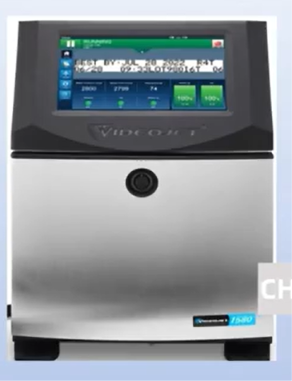
1580 & 1880 Fleet Management Feature Comparison
| Capabilities & Subsystems | Videojet 1240 / 1280 | Videojet 1580 / 1580 Plus | Videojet 1880 / 1880 Plus |
| Web Server Access | Not Supported | Supported (Basic) | Supported (Full Diagnostics) |
| Browser Compatibility | N/A | Chrome / Safari / Edge | Chrome / Safari / Edge |
| Rapid Recover Integration | Baseline Prompts | Full Step-by-Step Wizard | Full Predictive Diagnostics Suite |
| Max Remote Control Options | Local Physical Screen Only | Mobile Phone / PC Web Interface | Mobile / PC / Automated OEM Interface |
| Turnover Mitigation Tools | On-screen Static Guides | Interactive Maintenance Videos | Automated Micro-Solvent Flush Systems |
Operational FAQ
Can an operator modify print speeds or change packaging line delay values via the remote web server?
No. General production line settings and speed calibrations are blocked from remote browser control. These adjustments must be made directly at the printer’s physical console to ensure changes are verified safely on the production floor.
Is additional software required on my computer or smartphone to access the web server interface?
No custom application installation is required. The web server runs an embedded web application directly from the printer’s firmware, allowing access using standard web browsers on devices connected to the local facility network.
What types of faults does Rapid Recover target?
The system focuses primarily on gutter faults and EHT high-voltage trips, which together account for more than 90% of sudden packaging line stops. These errors are usually caused by ink residue buildup on the high-voltage deflection plates or blocks in the vacuum return lines.
How does Rapid Recover achieve a 20-minute production line recovery time for major hardware issues?
For minor issues, the system guides operators through quick fixes on-screen. For more severe faults, it flags the issue early so operators can swap the machine with a backup unit rather than trying to perform a complex, multi-hour hardware repair while the production line is halted.
Watch the Full Video Tutorial:
This article summarizes the key points from our original video. Watching the full tutorial provides a clearer understanding of the procedures, demonstrations, and practical maintenance tips.
▶ Watch the full video below.
📺 Subscribe to the Cheef YouTube Channel to receive future maintenance guides, troubleshooting tutorials, product demonstrations, and industry updates.
