
Field Diagnosis and Remediation: Managing Standard Error States on Videojet 1240, 1280, and 1580 Systems
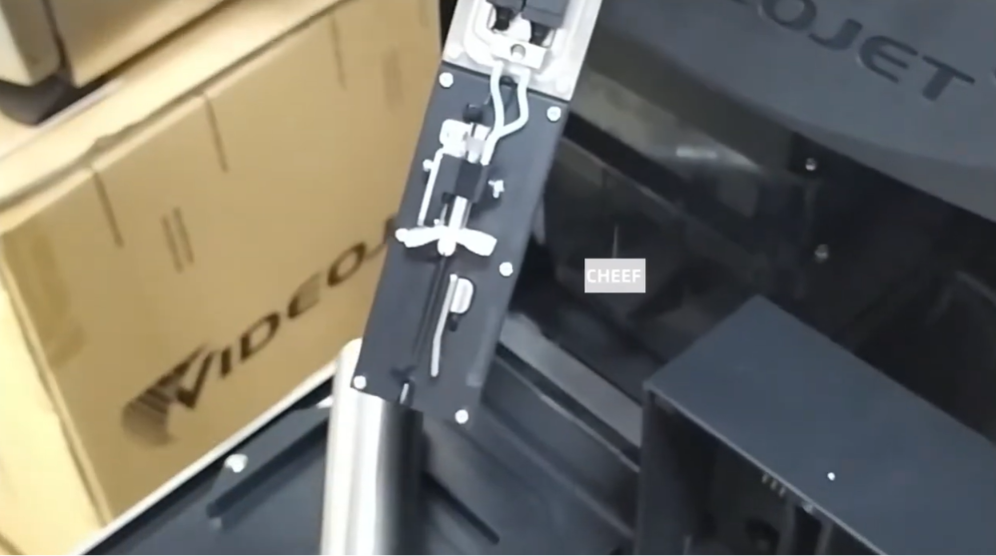
Maintaining operational readiness on modern manufacturing floors depends heavily on isolating and resolving Continuous Inkjet (CIJ) equipment faults rapidly. The Videojet 1240, 1280, and 1580 architectures represent a shift toward smart, modular fluid management, utilizing interactive touch interfaces and SIM-enabled smart cells to monitor system health. However, environmental factors, ink sediment buildup, and mechanical fatigue can still trigger system faults that stall high-capacity packaging lines.
This technical diagnostic breakdown isolates the root causes behind standard error states on these specific printer platforms and delivers precise, field-tested troubleshooting routines to minimize line downtime.
Technical Analysis of Modular Architecture Faults
The 1200 and 1500 series platforms utilize a streamlined fluid management system centered around an intelligent ink module or smart cell assembly. This design reduces internal plumbing connections but introduces distinct sensors that track pressure variations, fluid levels, and electrical resistance values in real time.
When an internal metric drifts outside factory parameters, the printer triggers an active fault. Understanding these errors requires looking past the symptom on the display screen and evaluating the physical state of the fluid loop and printhead internals.
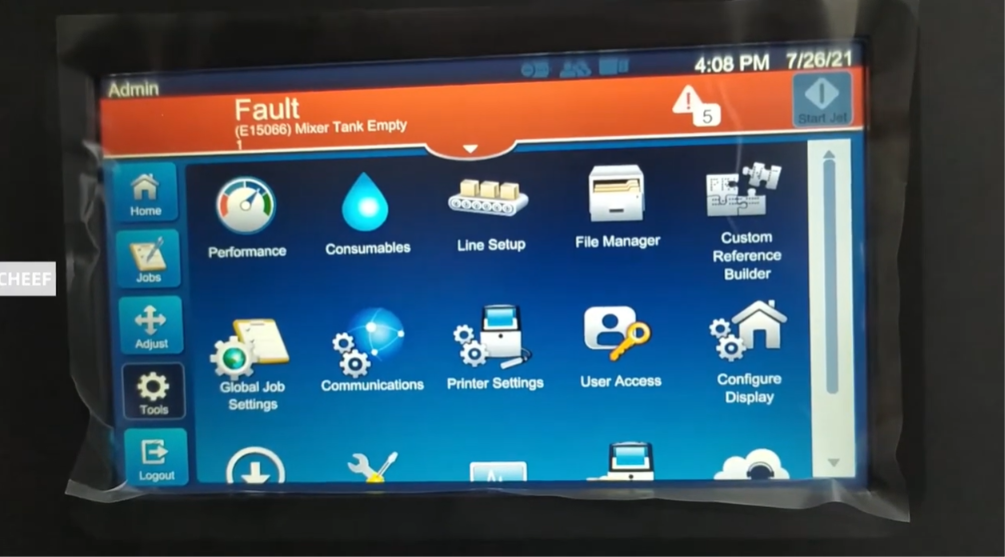
Actionable Troubleshooting Routines for Common System Errors
Correcting Ink System Pressure Faults
An unexpected drop or spike in operating pressure is one of the most frequent faults encountered during high-output operations.
To resolve this issue, check the fluid cartridge bay first. Verify that both the ink and makeup smart cartridges are securely locked in place and that their RFID chips are cleanly contacting the cabinet reader. Next, inspect the internal fluid block manifold for weeping lines or dry ink blockages. If the pressure error persists after ensuring a secure cartridge seat, navigate to the diagnostic utility menu and trigger an automated system prime sequence to purge trapped air from the internal module lines.
Resolving High-Voltage Tripping and Printhead Faults
High-voltage grounding faults often trigger automatically when the printer senses a current leak across the deflector plates.
To clean the assembly, shut down the jet completely and slide off the protective printhead cover. Inspect the narrow gap between the positive and negative deflector plates for ink bridging or visible solvent accumulation. Use a fine stream of approved cleaning solvent to flush the plates, the charge tunnel slot, and the grounding rail from top to bottom. Once flushed, use completely dry, low-pressure compressed air to blow out the spaces behind the plates until all fluid shine vanishes.
Clearing Gutter Vacuum and Suction Blockages
A gutter fault indicates that the system is failing to pull the uncharged ink stream back into the recycling loop, which presents an immediate spill risk inside the printhead assembly.
To restore vacuum suction, inspect the mouth of the recovery gutter for dried ink buildup or lint fibers. Use a washing bottle to target the gutter opening directly with solvent. If the vacuum line remains blocked, attach a clean service syringe to the gutter purge port and gently apply manual suction to draw the blockage through the line until fluid flows freely into the mixing tank.
Diagnostic Matrix for Rapid Field Remediation
| Active System Fault | Probable Technical Root Cause | Field Action Plan |
| Pressure Stability Error | Microscopic air pockets inside the fluid lines or a loose ink module connection. | Reseat the core module block, check cartridge seals, and run a manual system priming cycle. |
| High Voltage Short Circuit | Moisture or ink splatter bridging the electrical gap across deflector plates. | Flush printhead plates with matching wash solvent and blow completely dry with low-pressure air. |
| Ink Stream Deflection | Dried particulate or micro-fiber debris partially blocking the nozzle orifice. | Run the nozzle backflush routine while applying solvent directly to the nozzle faceplate. |
| Gutter Return Failure | Dried ink restriction inside the vacuum return tube or a failing suction pump. | Apply solvent directly to the gutter mouth; use a service syringe on the purge line to pull out blockages. |
Operational Best Practices for Industrial Environments
- Monitor Smart Cell Expiration Windows: The internal smart cells track cumulative operating hours and material expiration dates automatically. Distributors and operators must track these metrics on the maintenance dashboard to schedule module changes before the system forces an automatic shutdown lock.
- Keep the Printhead Cover Sealed: Only operate the printer with the printhead cover securely installed. Running production with an open printhead cover deactivates the positive-pressure air barrier, allowing dust and ambient moisture to settle on the high-voltage plates.
Frequently Asked Questions
Why does my Videojet 1580 show a smart cell error when the ink tank is still half full?
The smart cell on these printers tracks both fluid volume and operating hours independently. If the module reaches its factory-calibrated lifespan limit, it will trigger an error state regardless of remaining fluid volume to ensure the internal filtration layers do not fail and leak debris into the printhead.
What causes an ink stream to shoot completely past the gutter mouth during startup?
This path deviation is typically caused by a partial restriction inside the micro-nozzle orifice. If a tiny flake of dried ink settles on the edge of the nozzle hole, it deflects the pressurized ink stream at an incorrect angle. Cleaning the nozzle faceplate and triggering a brief nozzle backflush sequence will usually straighten the stream.
Can I mix ink types if the printer models belong to the same family?
No. The Videojet 1240, 1280, and 1580 systems utilize specific ink formulations optimized for their internal component seals and operating pressures. Mixing different ink codes can alter the fluid’s electrical conductivity and viscosity, which will clog the internal filtration pathways and void your equipment warranty.
Watch the Full Video Tutorial:
This article summarizes the key points from our original video. Watching the full tutorial provides a clearer understanding of the procedures, demonstrations, and practical maintenance tips.
▶ Watch the full video below.
📺 Subscribe to the Cheef YouTube Channel to receive future maintenance guides, troubleshooting tutorials, product demonstrations, and industry updates.
